In this post we will be setting up a new VM with OEL 8.10 and install OEM 13.5
prepare a new VM with below details
Setting up VM
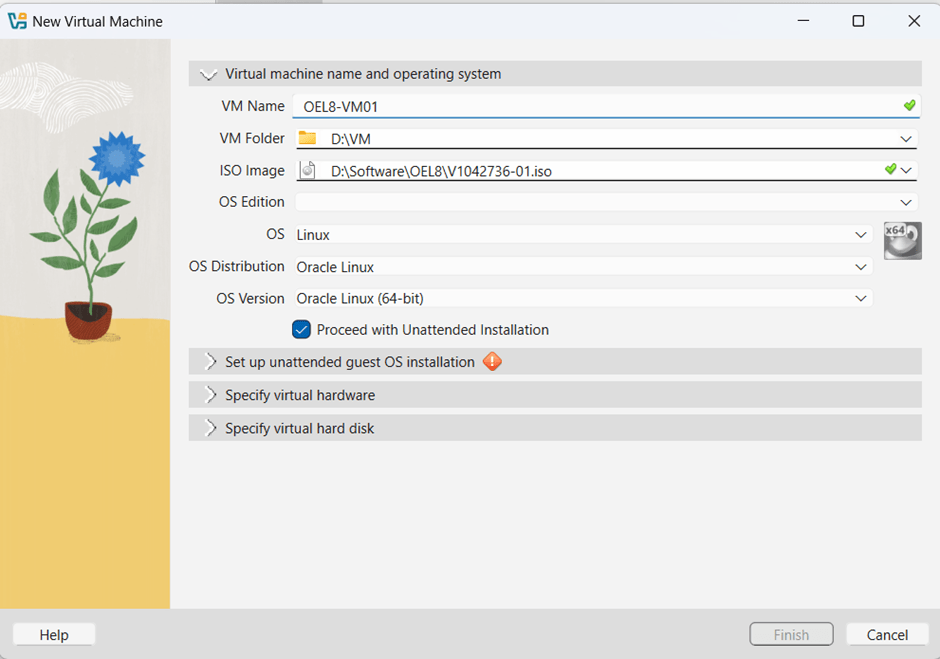
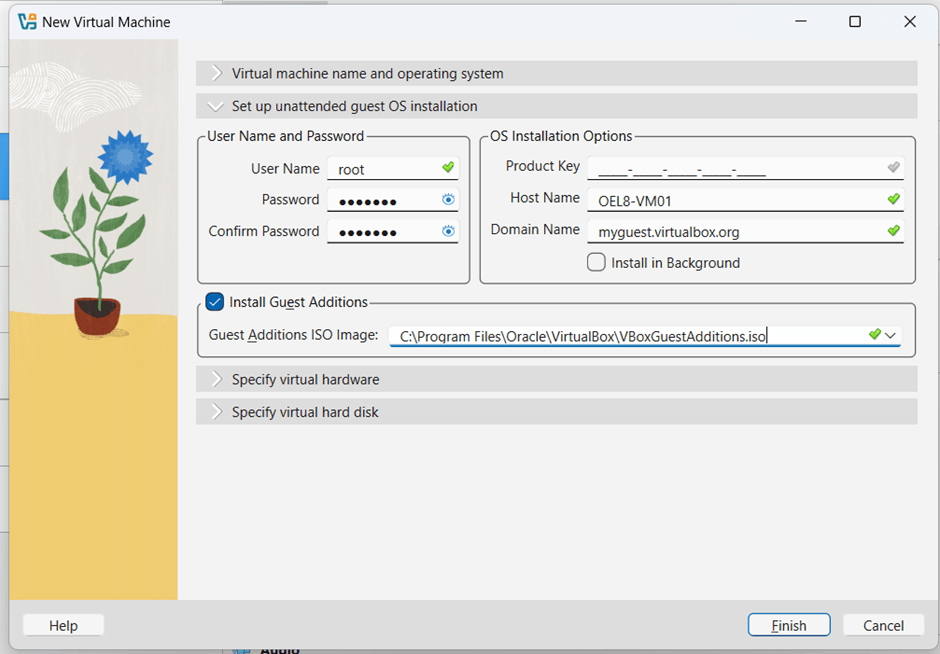
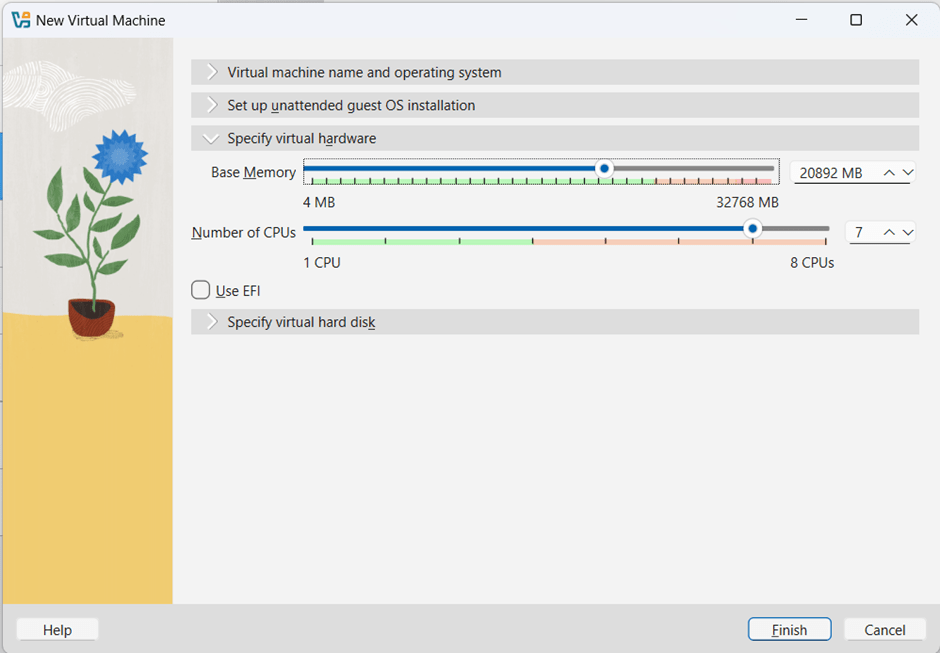
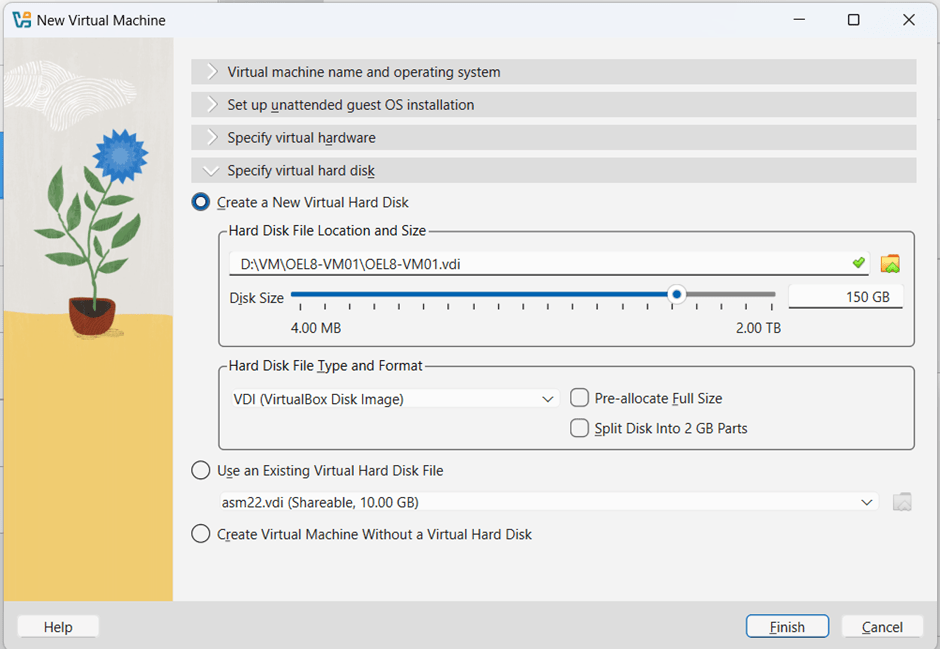
network adapters as below

Once the OEL8 is installed, make the following changes. Use the nmtui utility in network adapters to enable internet access and a putty session.
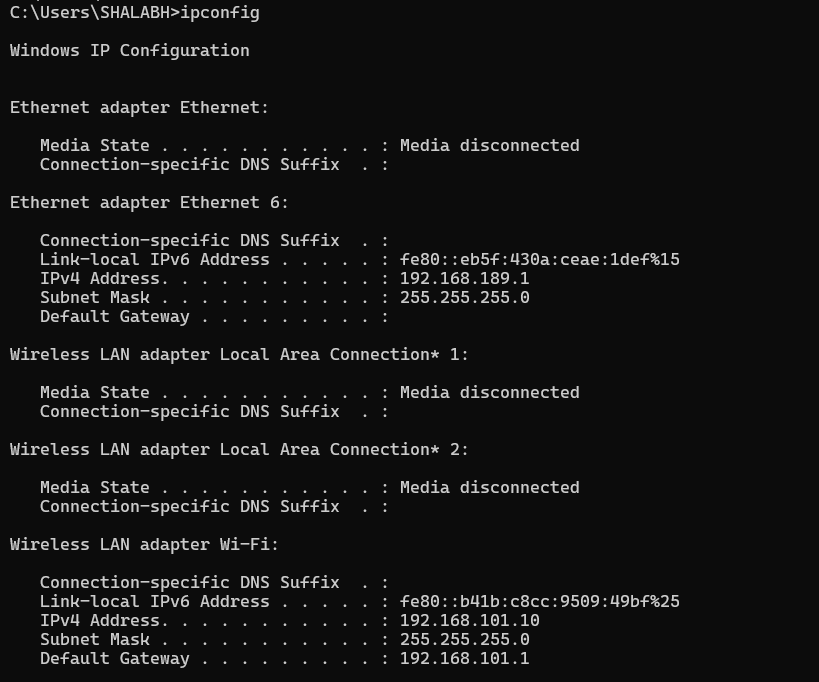
current laptop settings
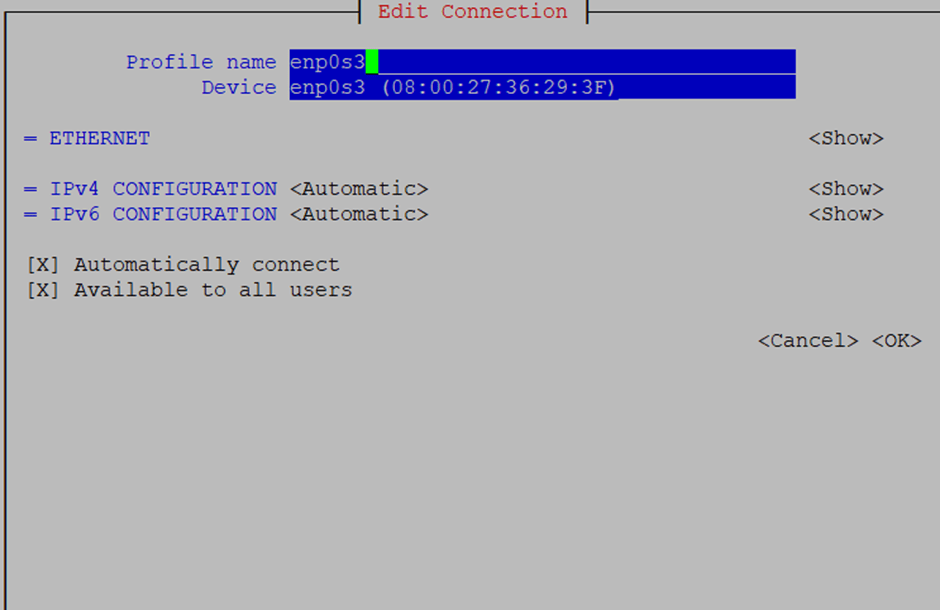
for NAT adapter 1 enp0s3
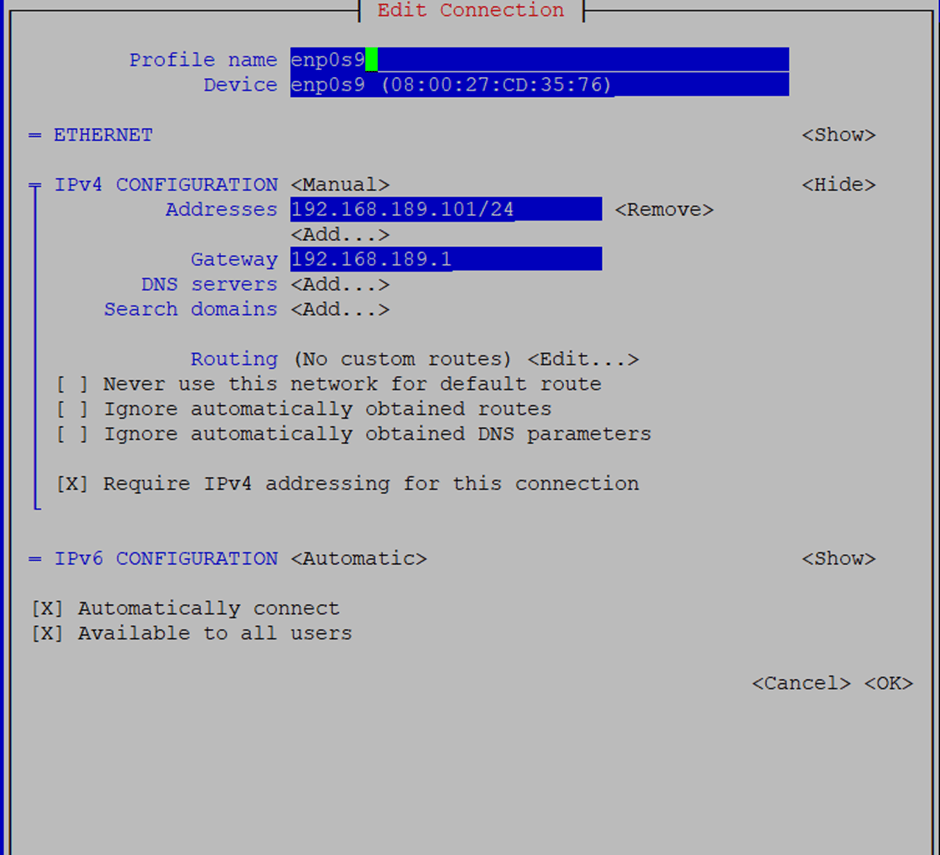
For putty adapter 3 – enp0s9
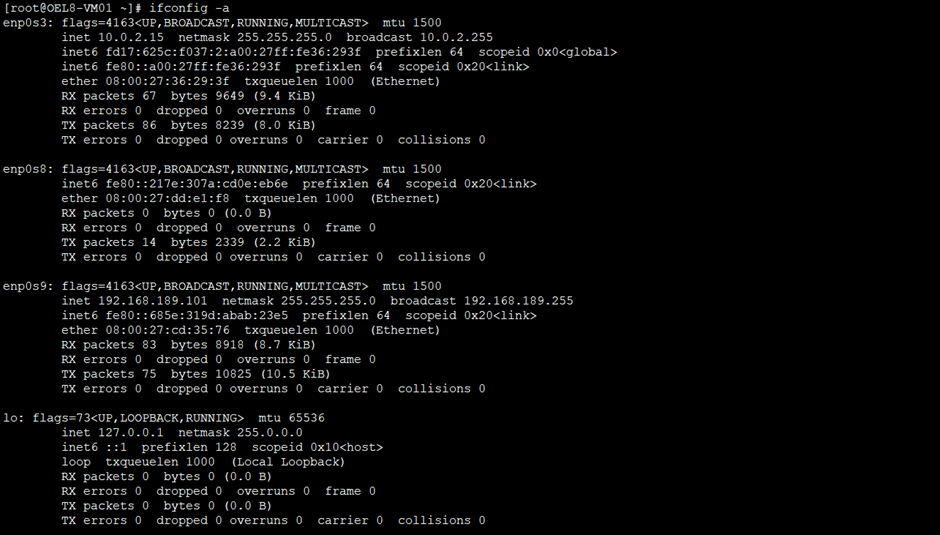
once changes activated you will be able to take putty and access internet.
Installing Oracle 19c database
First we will install 19c software only and then create db using OEM templates
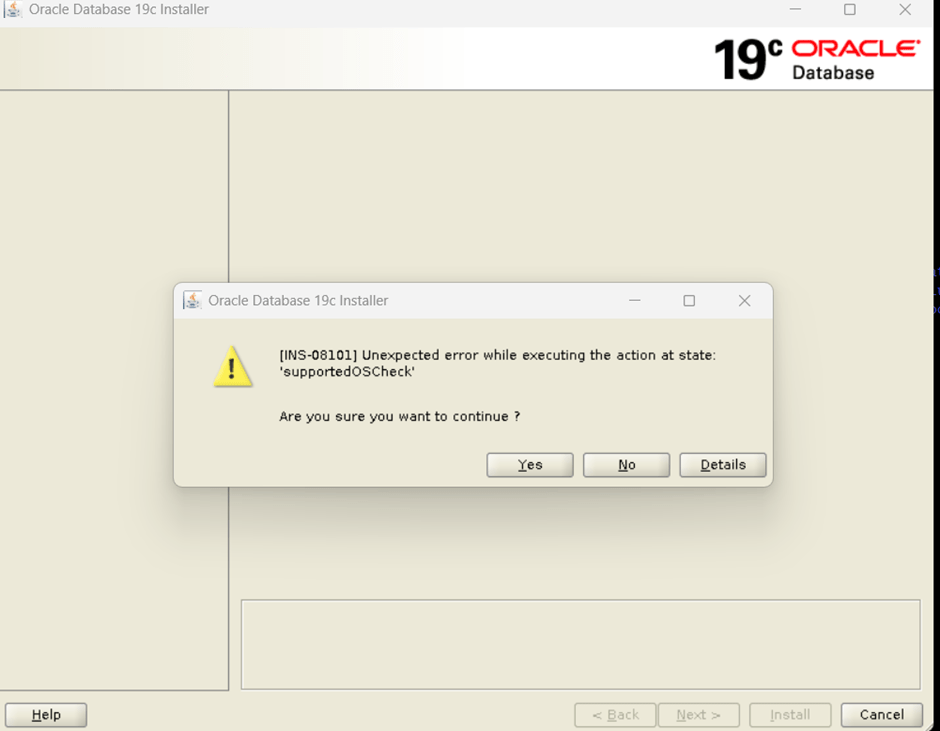
export CV_ASSUME_DISTID=OEL7.8

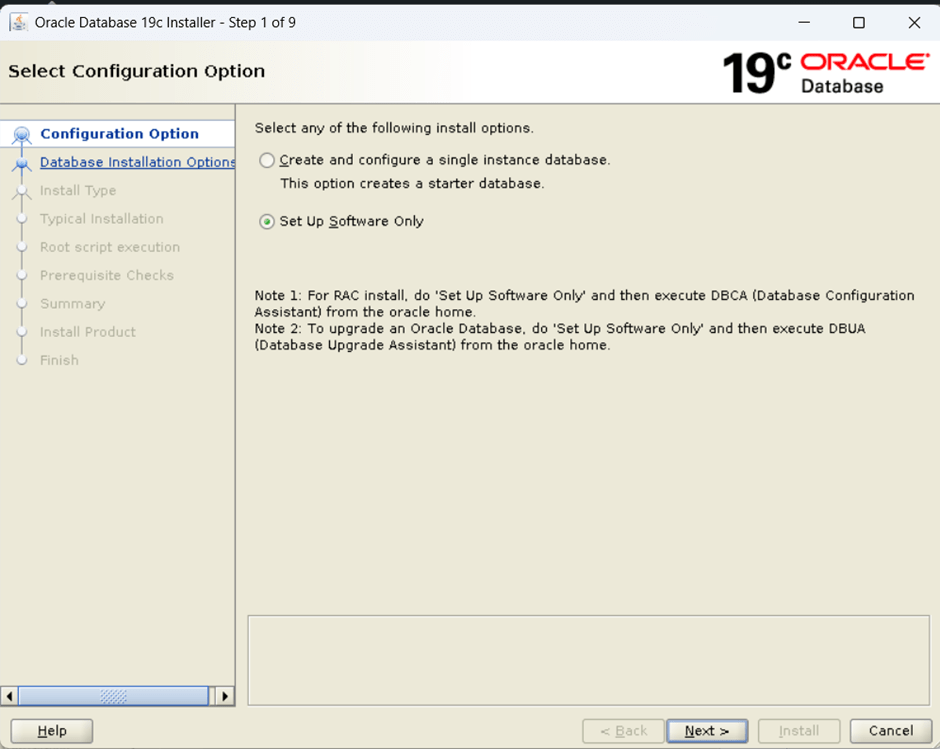
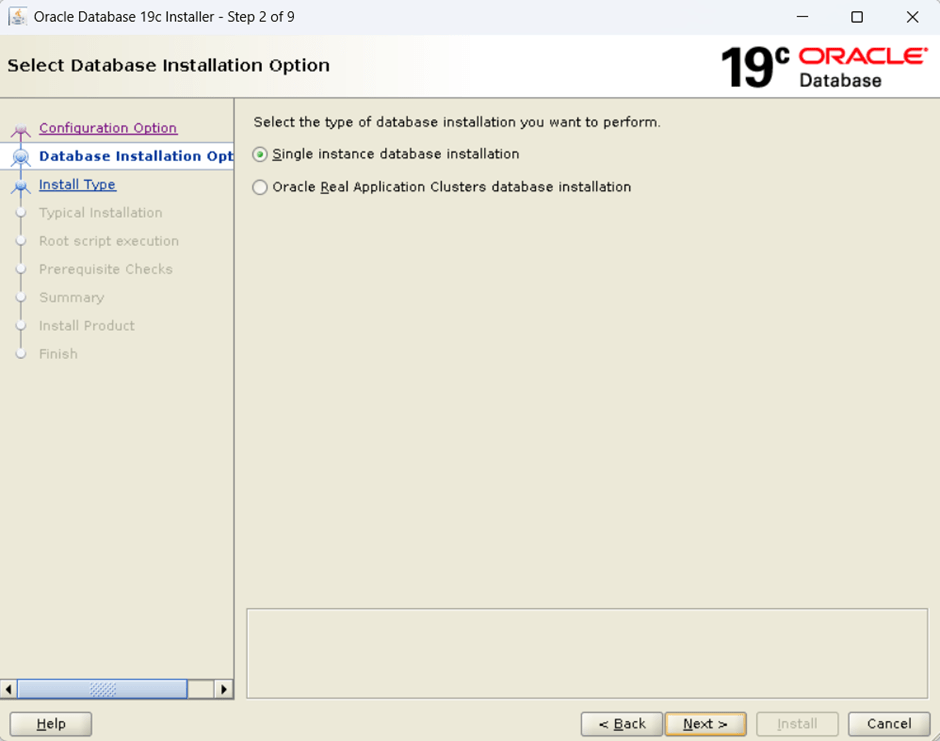
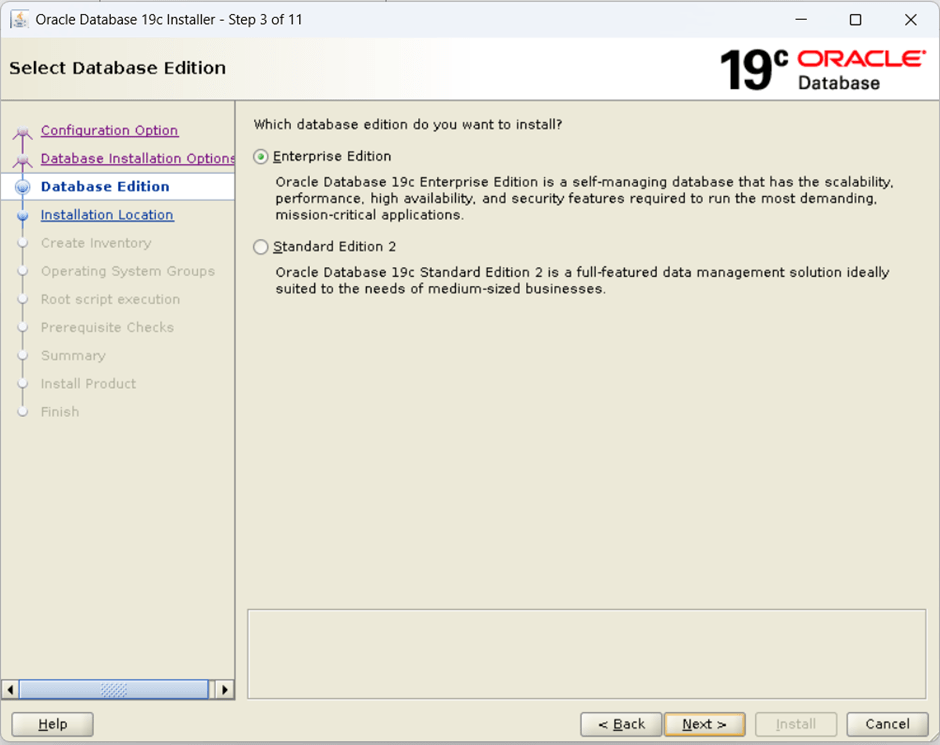
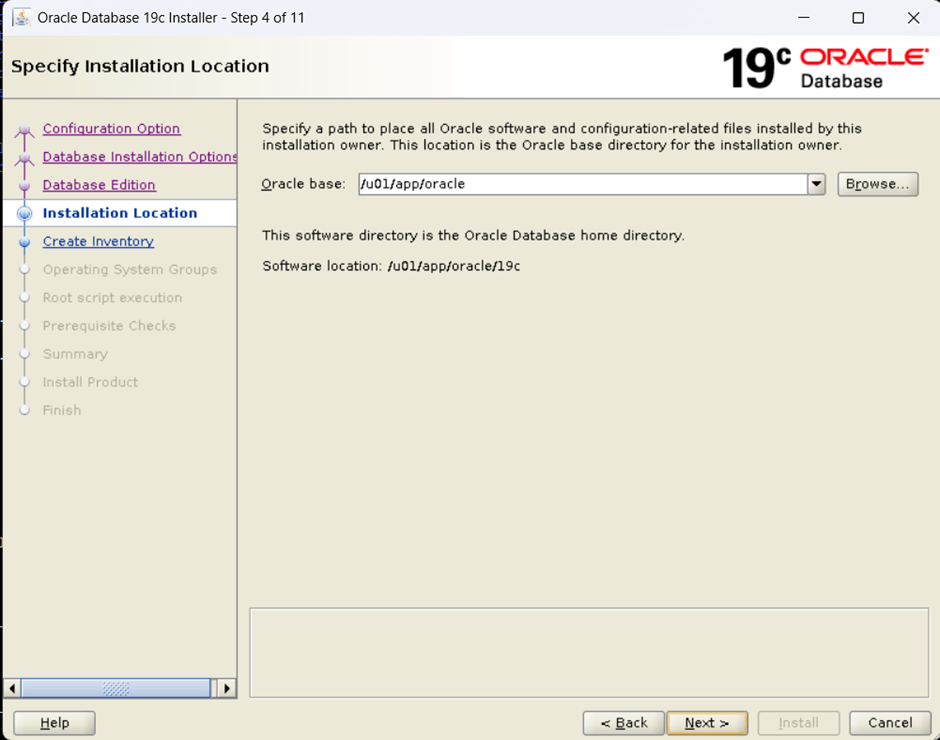
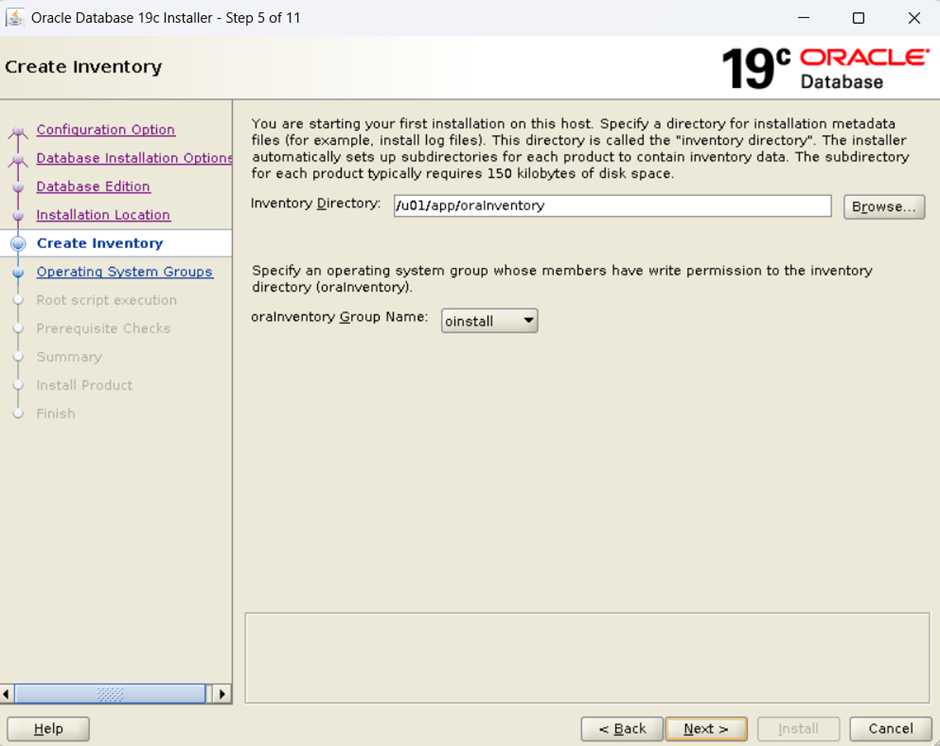
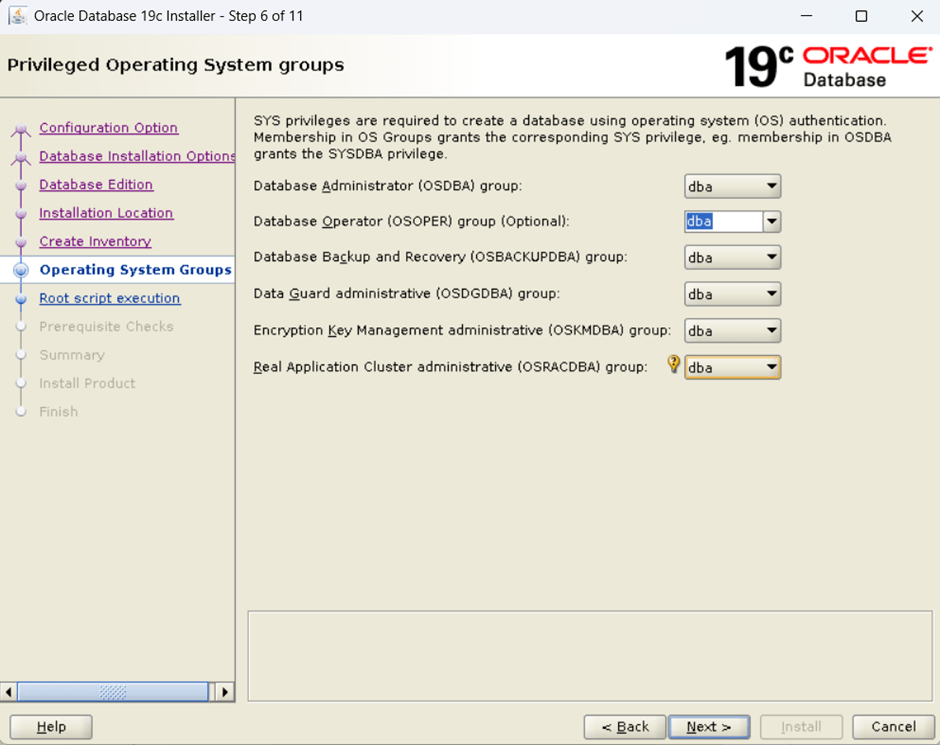
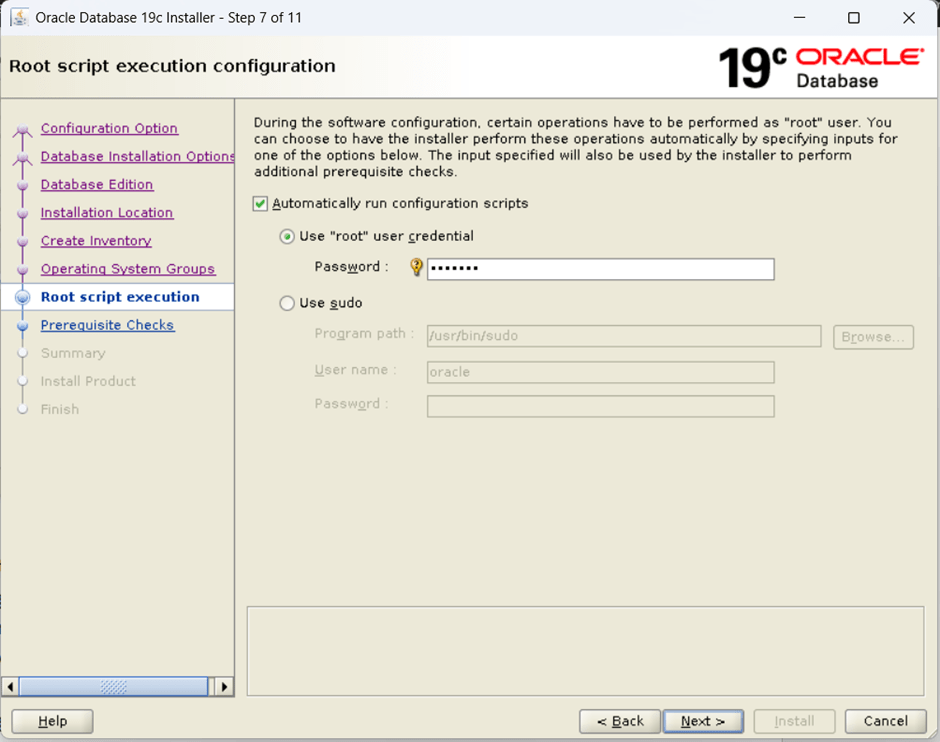
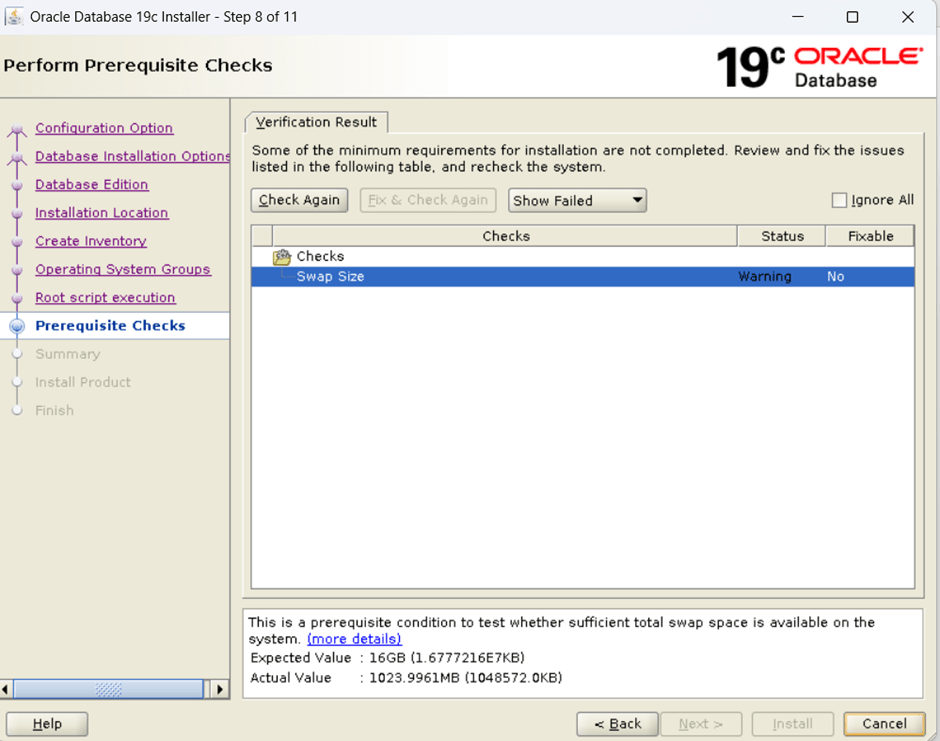
[root@OEL8-VM01 /]# free -g total used free shared buff/cache availableMem: 19 0 5 0 13 18Swap: 0 0 0[root@OEL8-VM01 /]# swapon -sFilename Type Size Used Priority/dev/sda2 partition 1048572 0 -2[root@OEL8-VM01 /]# sudo swapoff -a[root@OEL8-VM01 /]# sudo rm -f /swapfile[root@OEL8-VM01 /]# sudo fallocate -l 16G /swapfile[root@OEL8-VM01 /]# sudo chmod 600 /swapfile[root@OEL8-VM01 /]# sudo mkswap /swapfileSetting up swapspace version 1, size = 16 GiB (17179865088 bytes)no label, UUID=e1852e29-007c-47de-8954-cdba5d631d41[root@OEL8-VM01 /]# sudo swapon /swapfile[root@OEL8-VM01 /]# sudo vi /etc/fstab#Add below line at end and save the file/swapfile swap swap defaults 0 0[root@OEL8-VM01 /]# free -g total used free shared buff/cache availableMem: 19 0 5 0 13 18Swap: 15 0 15press check again
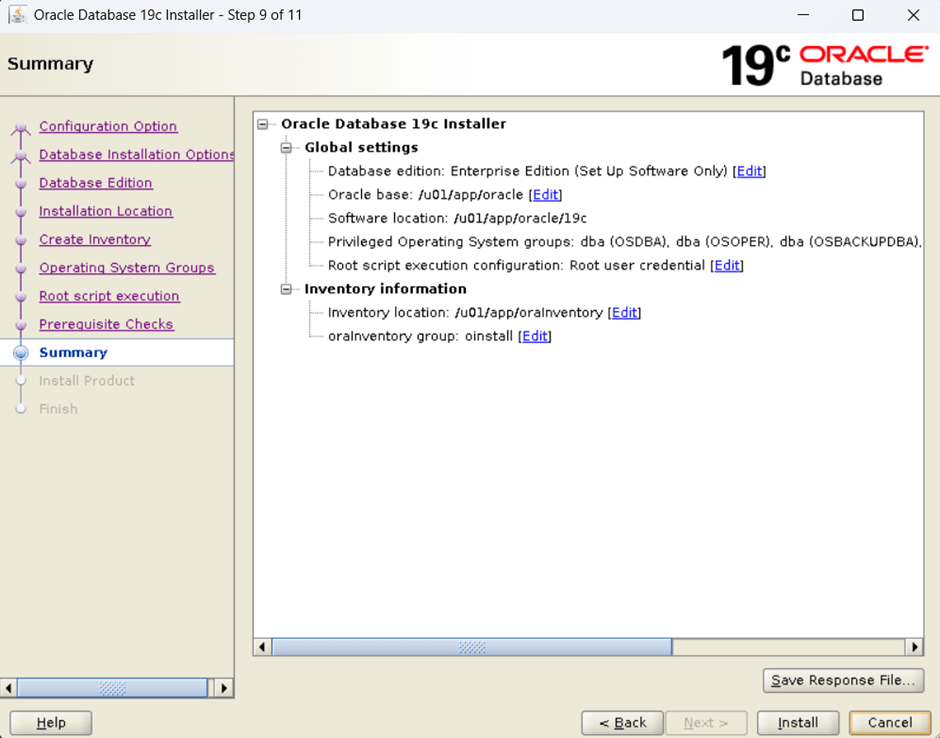
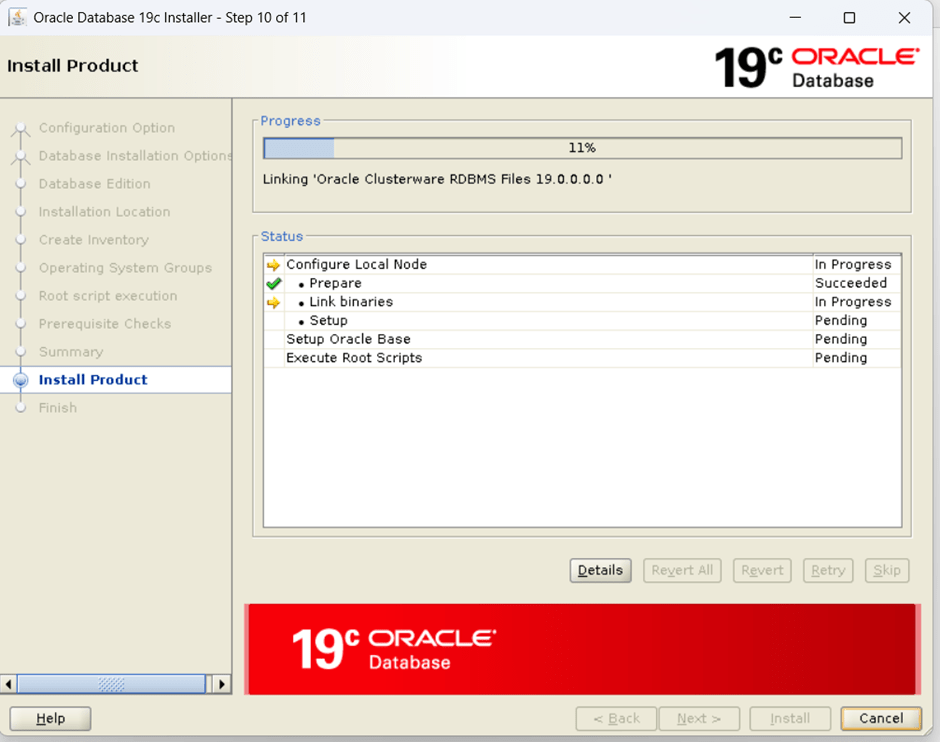
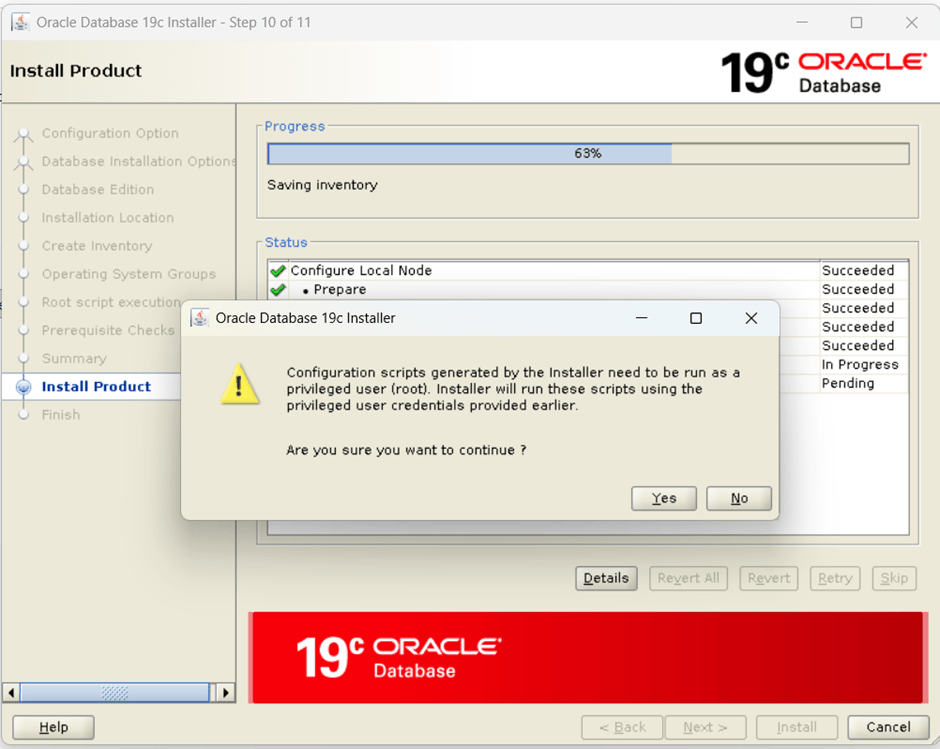
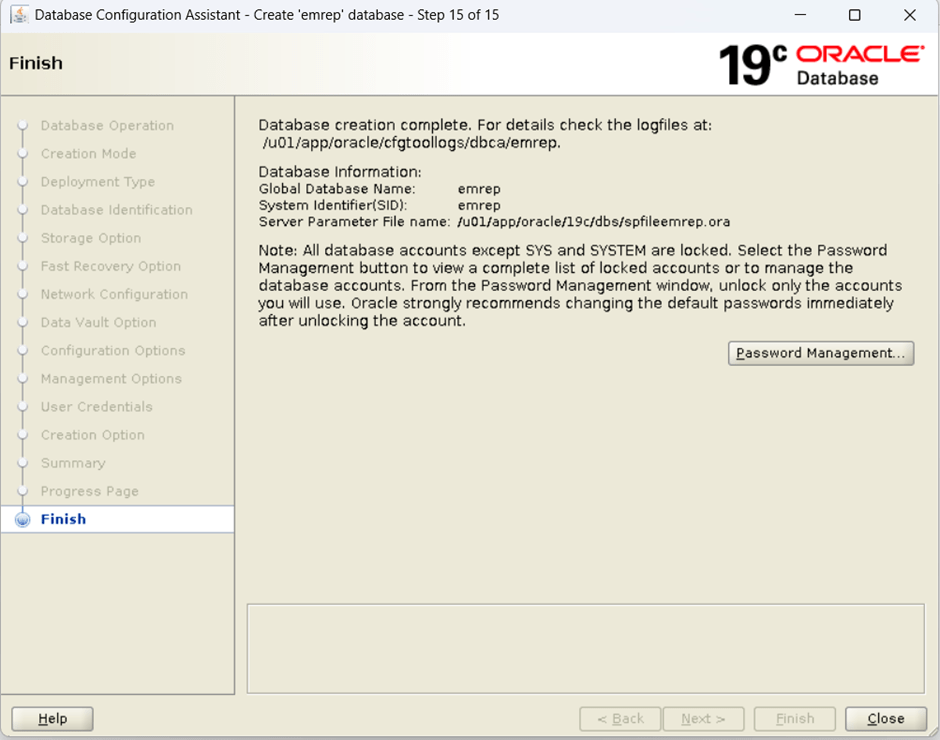
create database using template
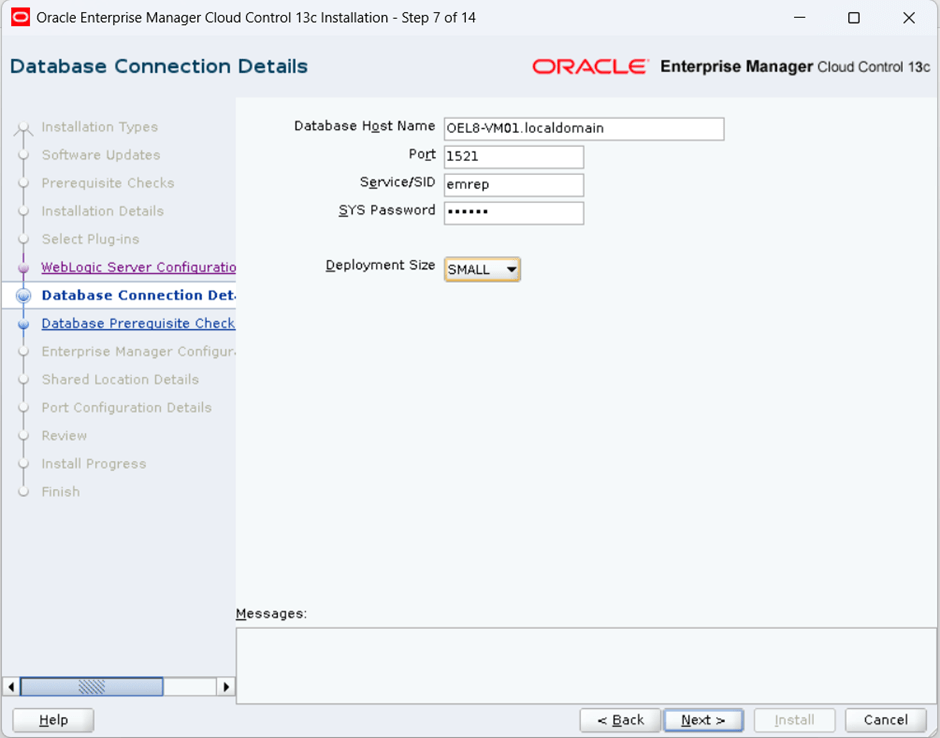
[oracle@OEL8-VM01 19c_db_sw]$ cd /u01/app/oracle/19c/assistants/dbca/templates/[oracle@OEL8-VM01 templates]$ pwd/u01/app/oracle/19c/assistants/dbca/templates[oracle@OEL8-VM01 templates]$ cp /shared_dir/12c_OEM/19c_template/19_11_0_0_0_Database_Template_for_EM13_5_0_0_0_Linux_x64.zip .[oracle@OEL8-VM01 templates]$[oracle@OEL8-VM01 templates]$ unzip 19_11_0_0_0_Database_Template_for_EM13_5_0_0_0_Linux_x64.zipArchive: 19_11_0_0_0_Database_Template_for_EM13_5_0_0_0_Linux_x64.zip inflating: set_repo_param_19_11_0_0_0_Database_SQL_for_EM13_5_0_0_0_Large_deployment.sql inflating: set_repo_param_19_11_0_0_0_Database_SQL_for_EM13_5_0_0_0_Medium_deployment.sql inflating: set_repo_param_19_11_0_0_0_Database_SQL_for_EM13_5_0_0_0_Small_deployment.sql inflating: shpool_19_11_0_0_0_Database_SQL_for_EM13_5_0_0_0.sql inflating: 19_11_0_0_0_Database_Template_for_EM13_5_0_0_0_Large_deployment.dbc inflating: 19_11_0_0_0_Database_Template_for_EM13_5_0_0_0_Medium_deployment.dbc inflating: 19_11_0_0_0_Database_Template_for_EM13_5_0_0_0_Small_deployment.dbc inflating: 19_11_0_0_0_Database_Template_for_EM13_5_0_0_0.dfb inflating: 19_11_0_0_0_Database_Template_for_EM13_5_0_0_0.ctl[oracle@OEL8-VM01 templates]$
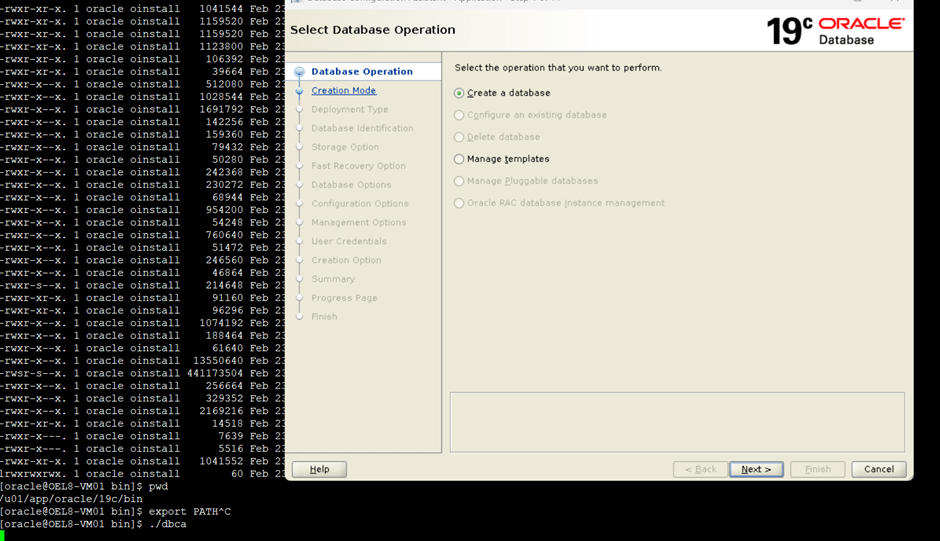
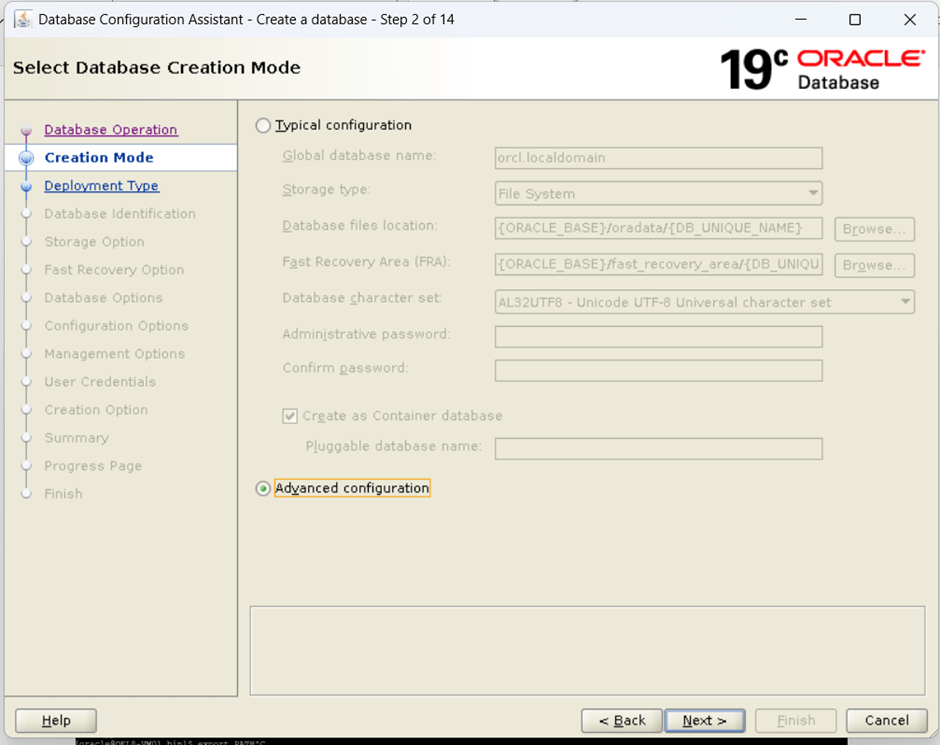
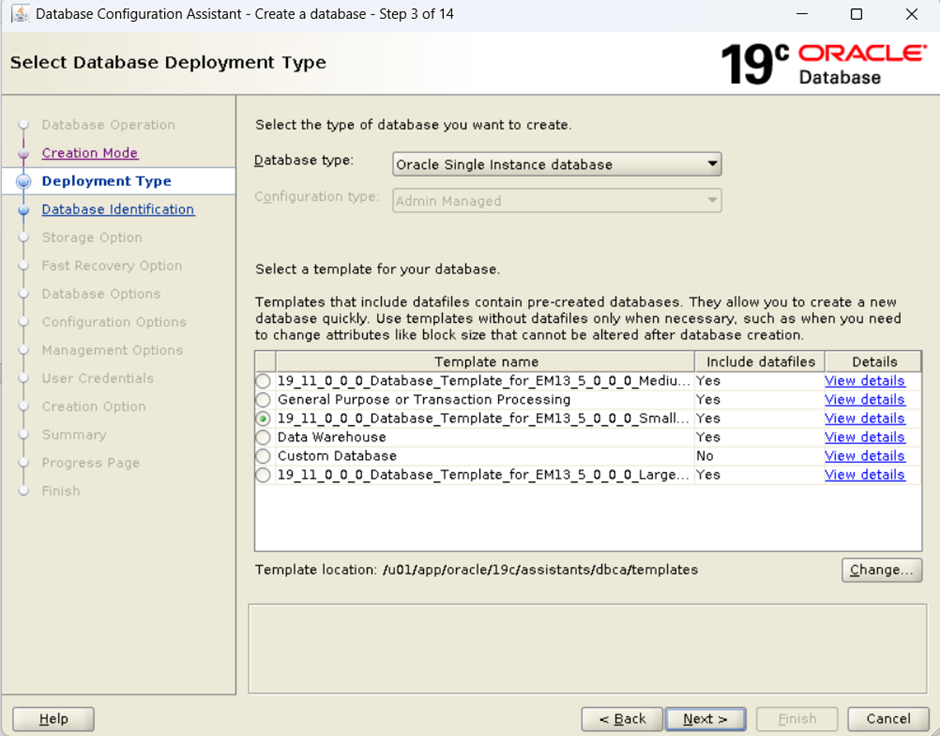
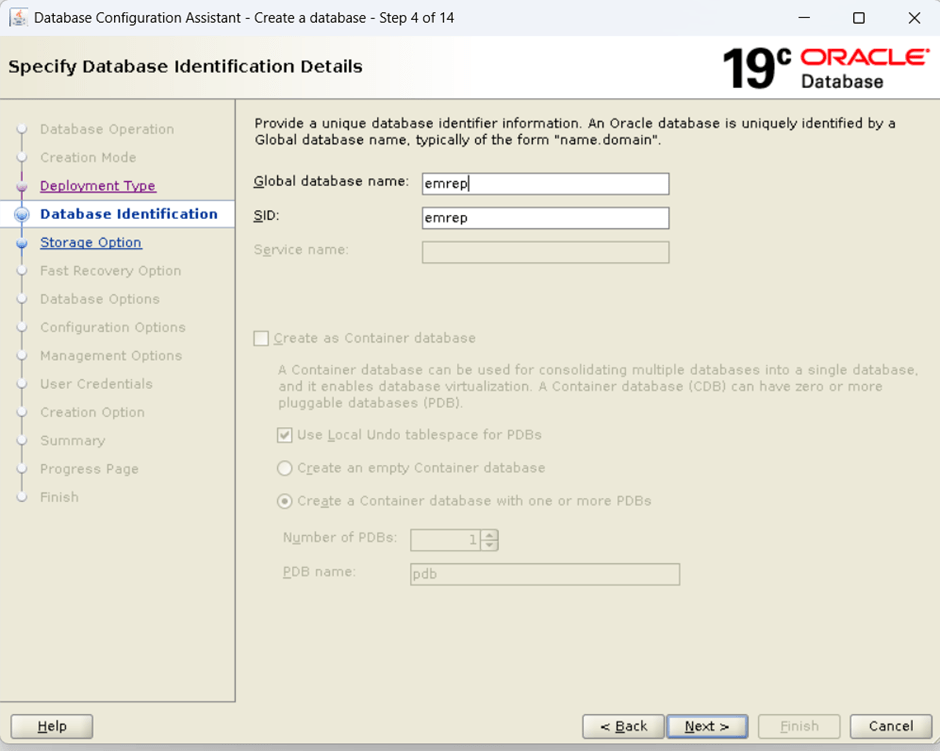
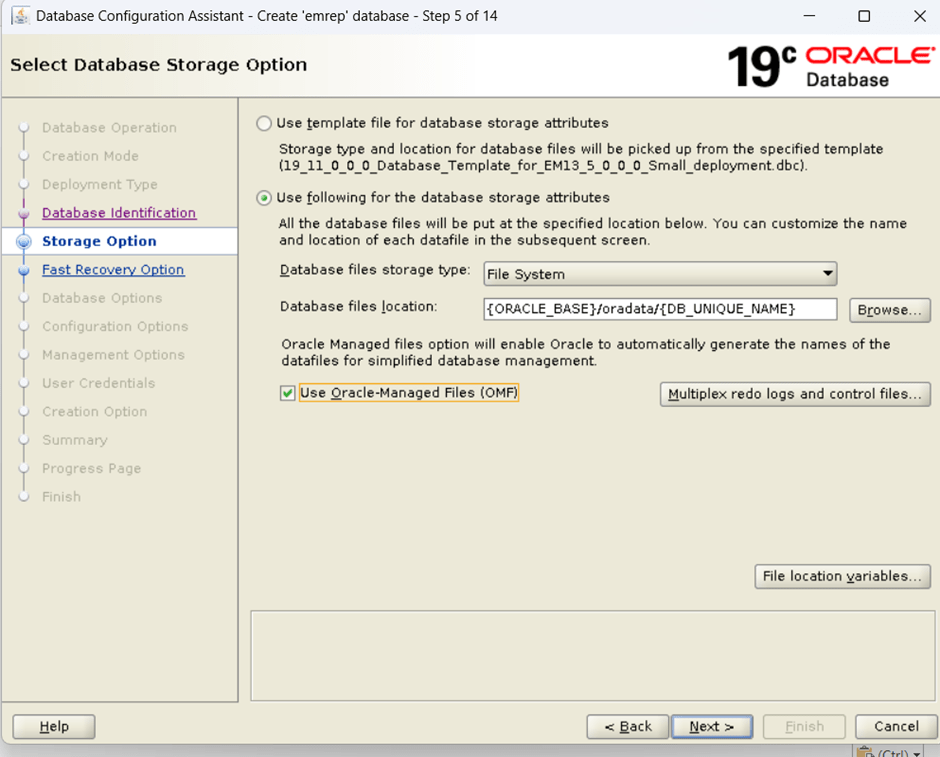
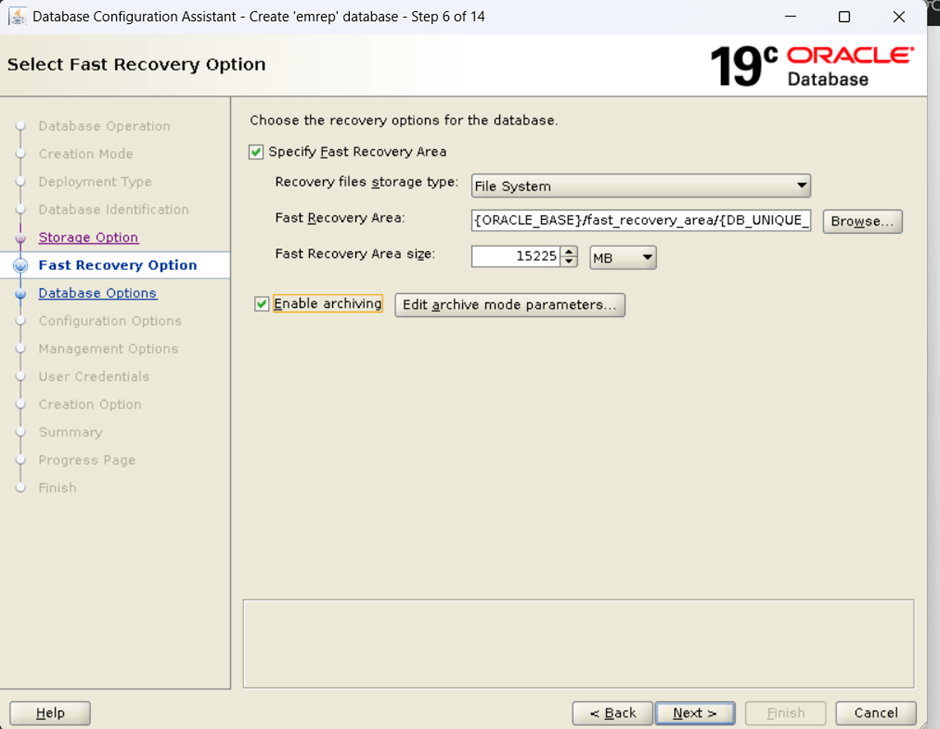
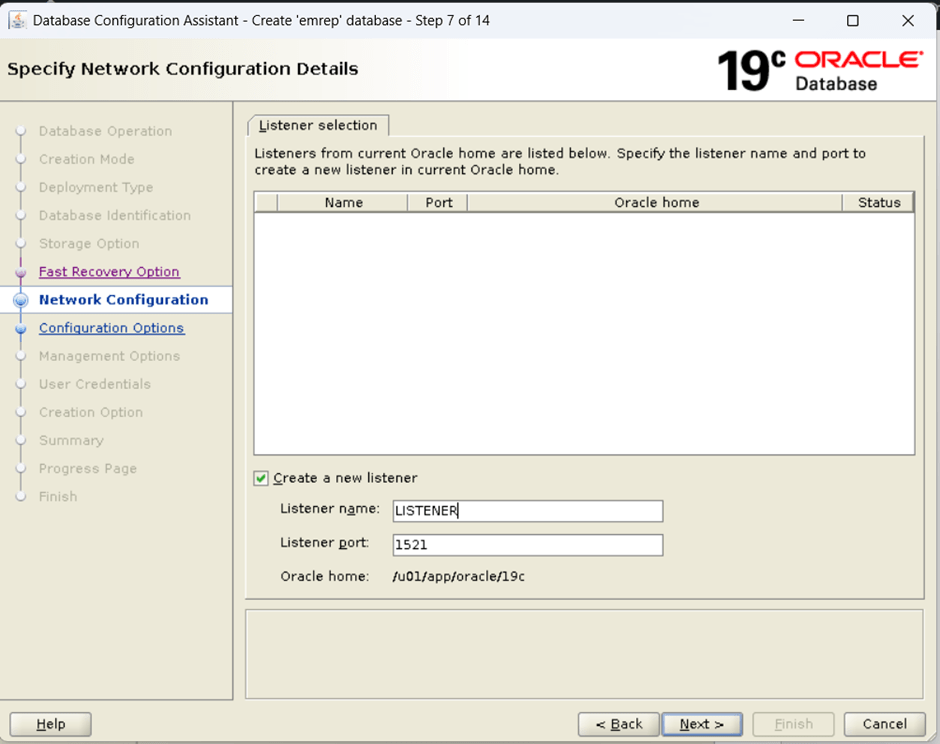
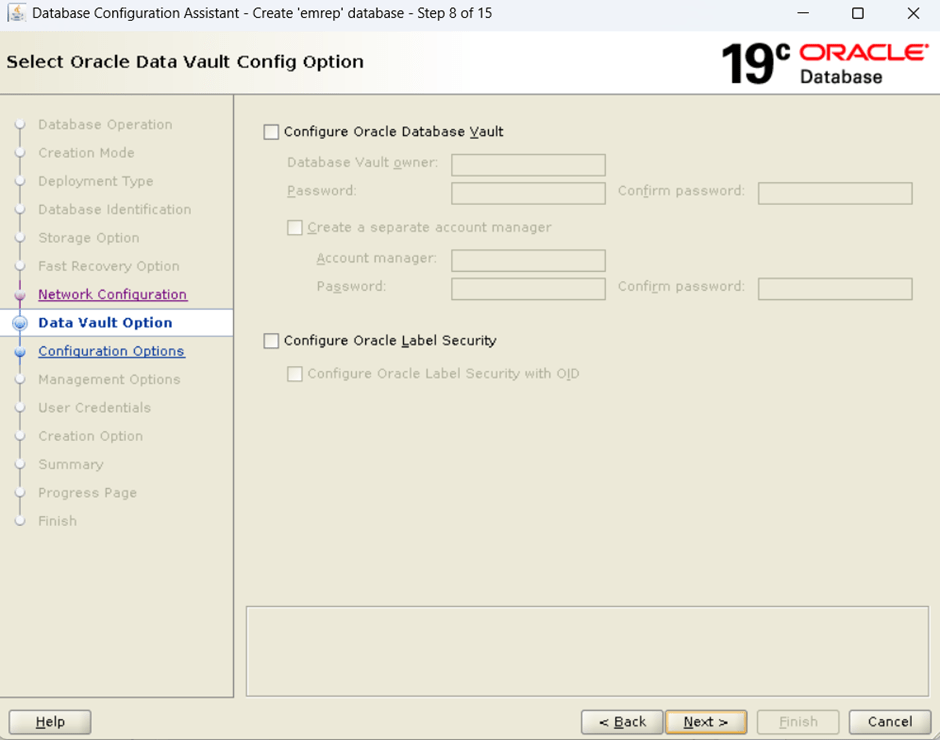
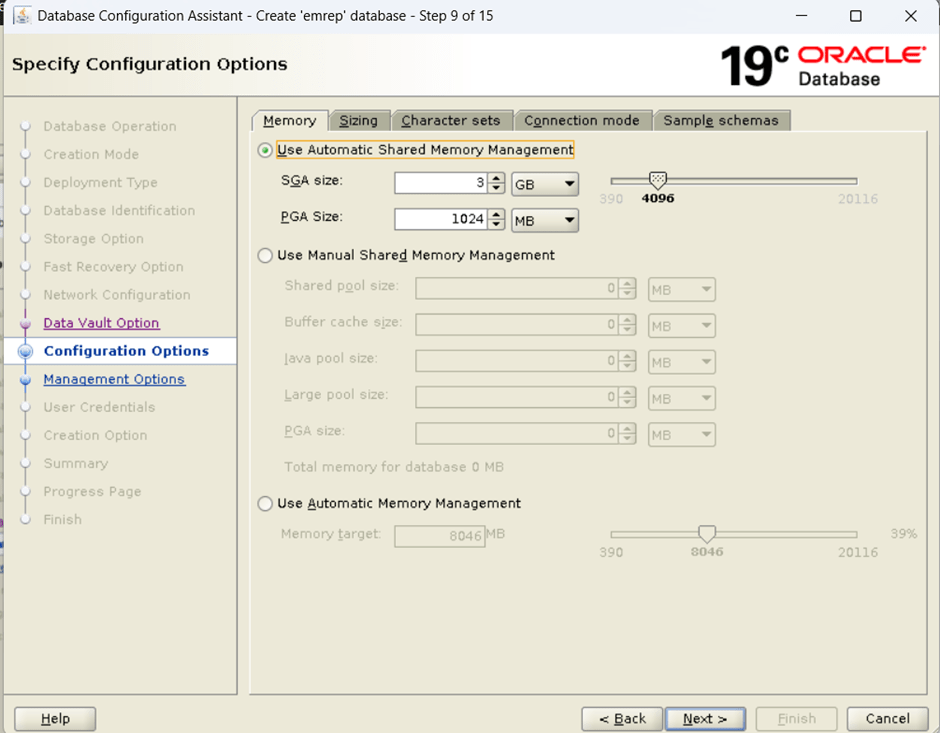
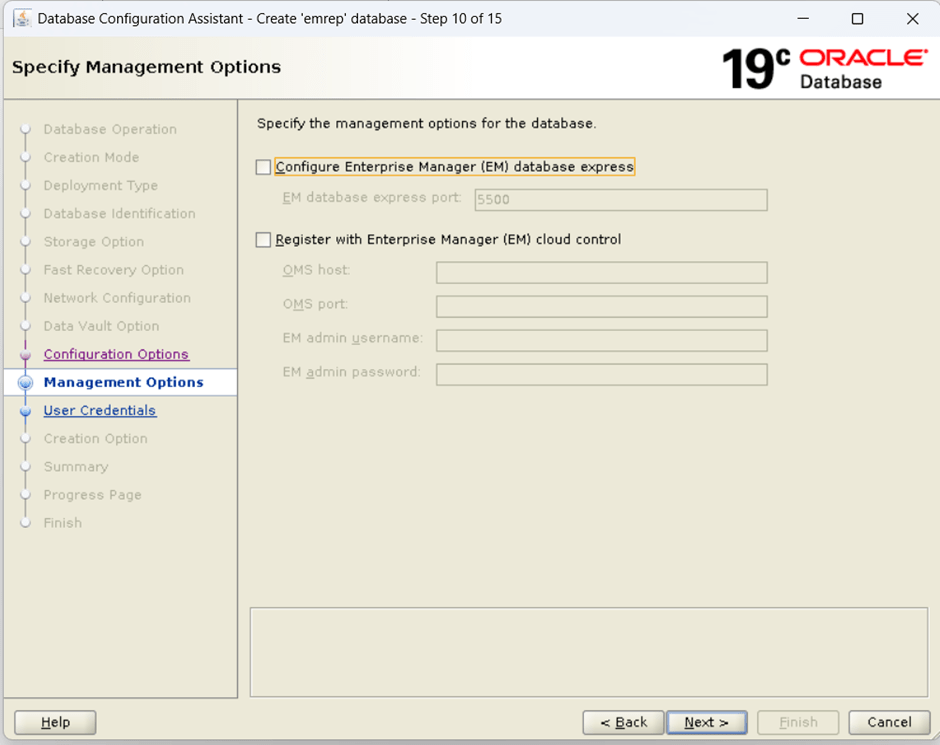
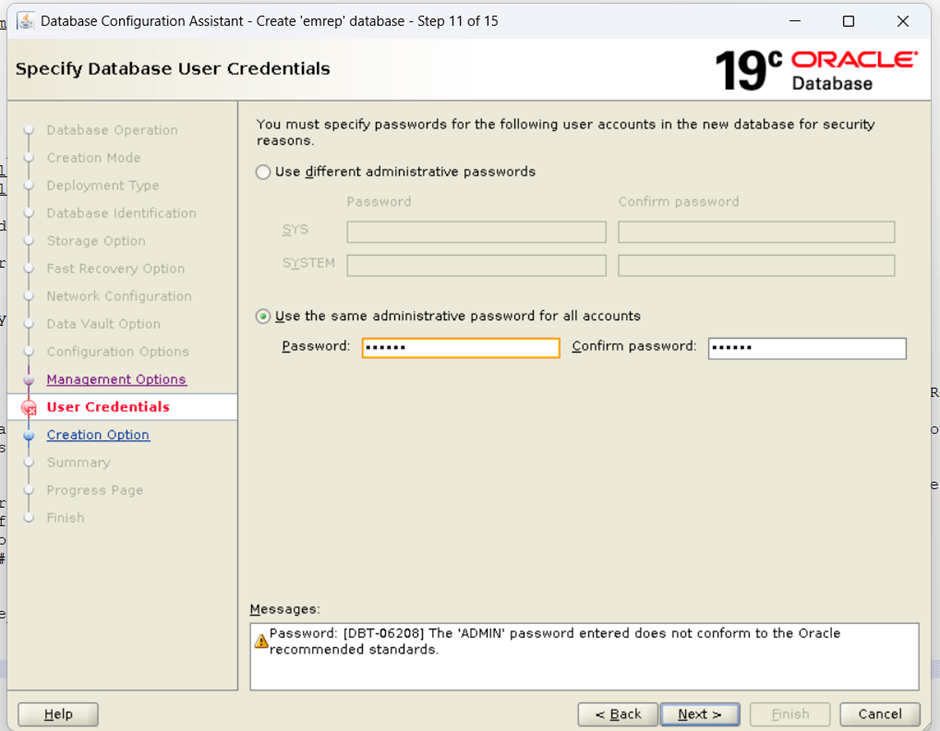

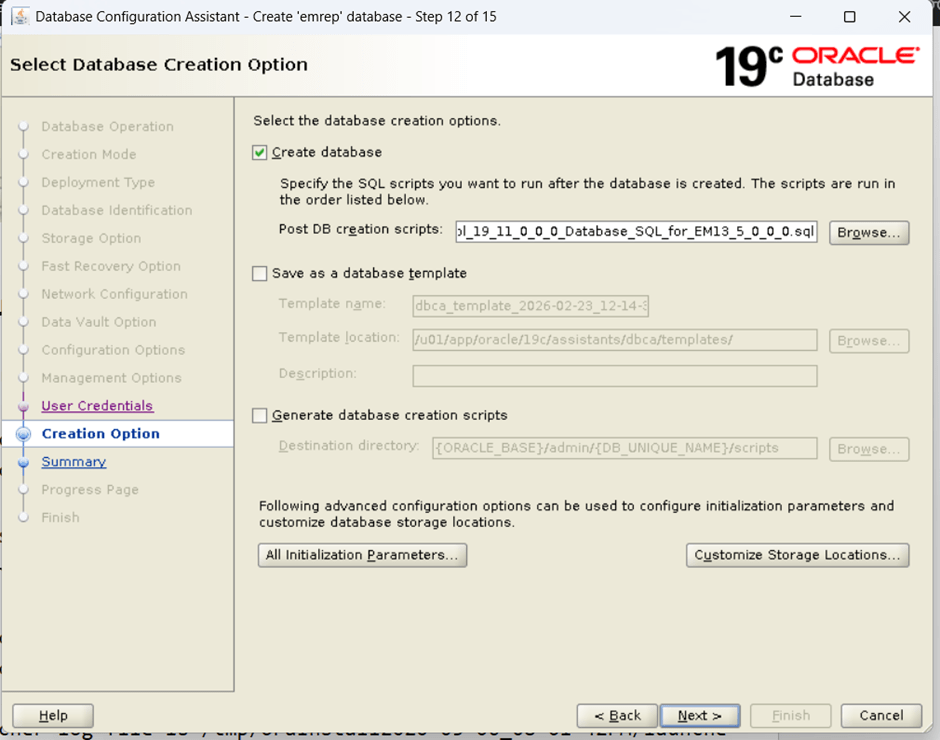
Install OMS s/w
[oracle@OEL8-VM01 ~]$ mkdir -p /u01/app/oracle/middleware[oracle@OEL8-VM01 ~]$ mkdir -p /u01/app/oracle/agent[oracle@OEL8-VM01 ~]$
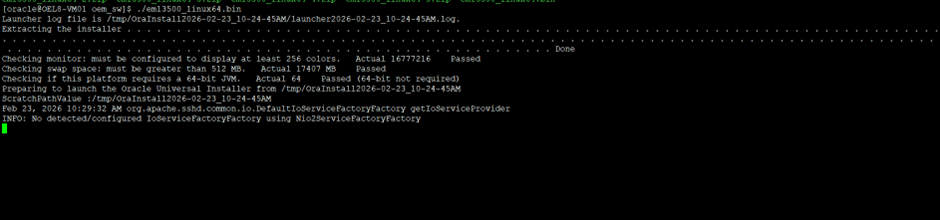
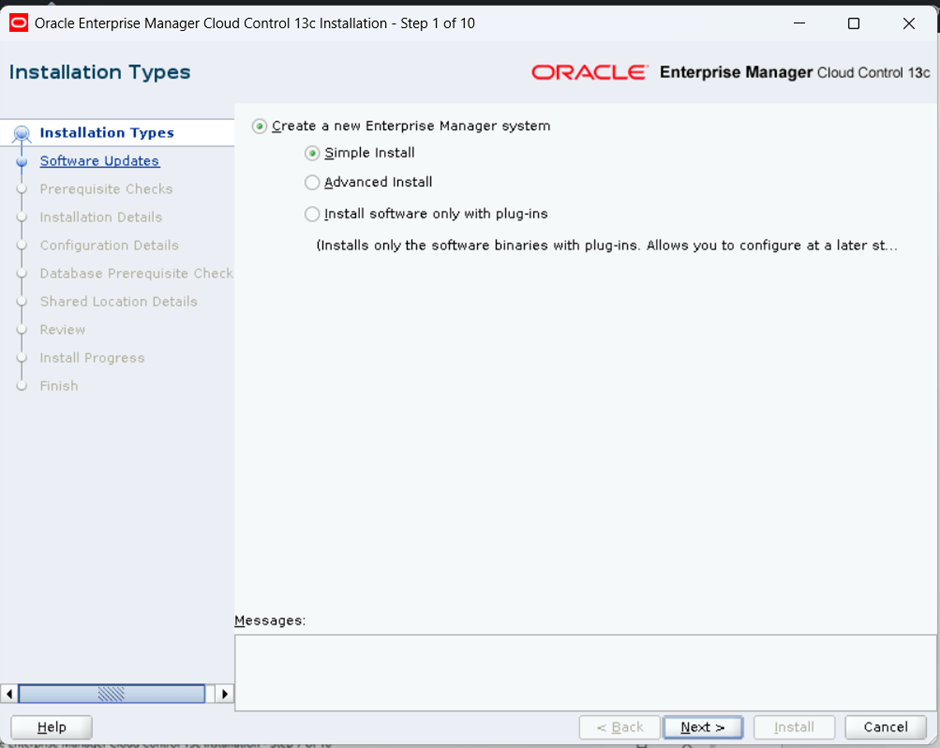
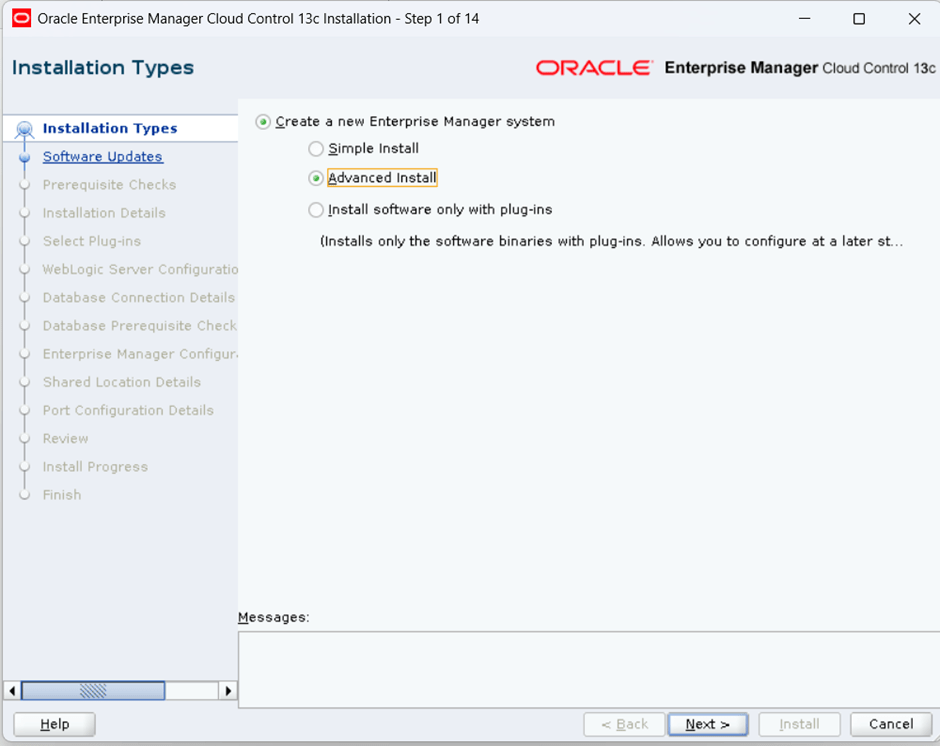
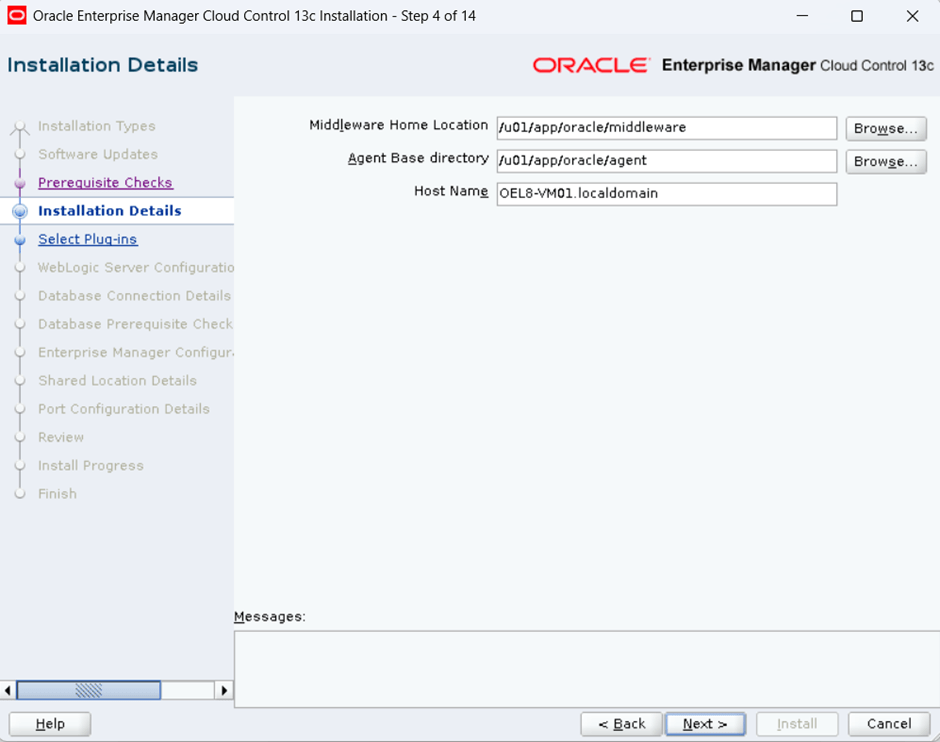
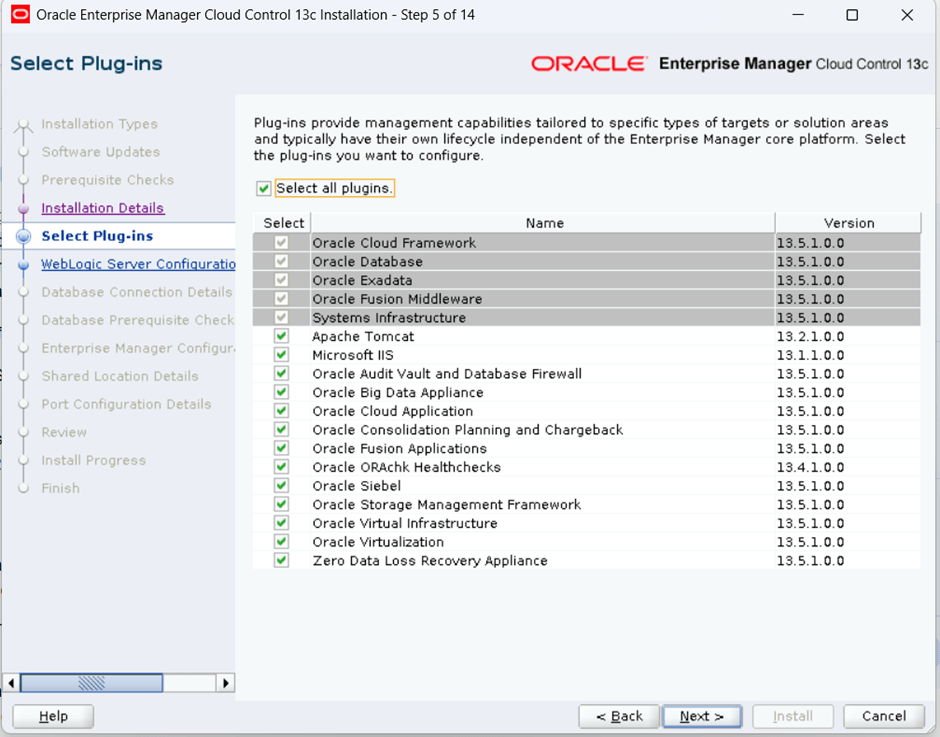
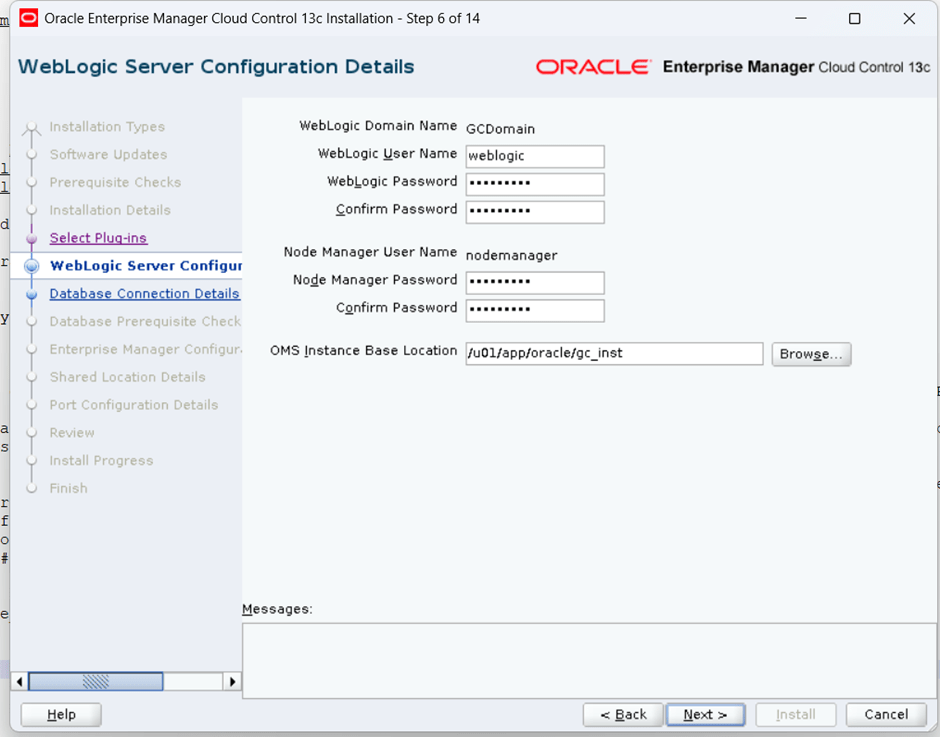
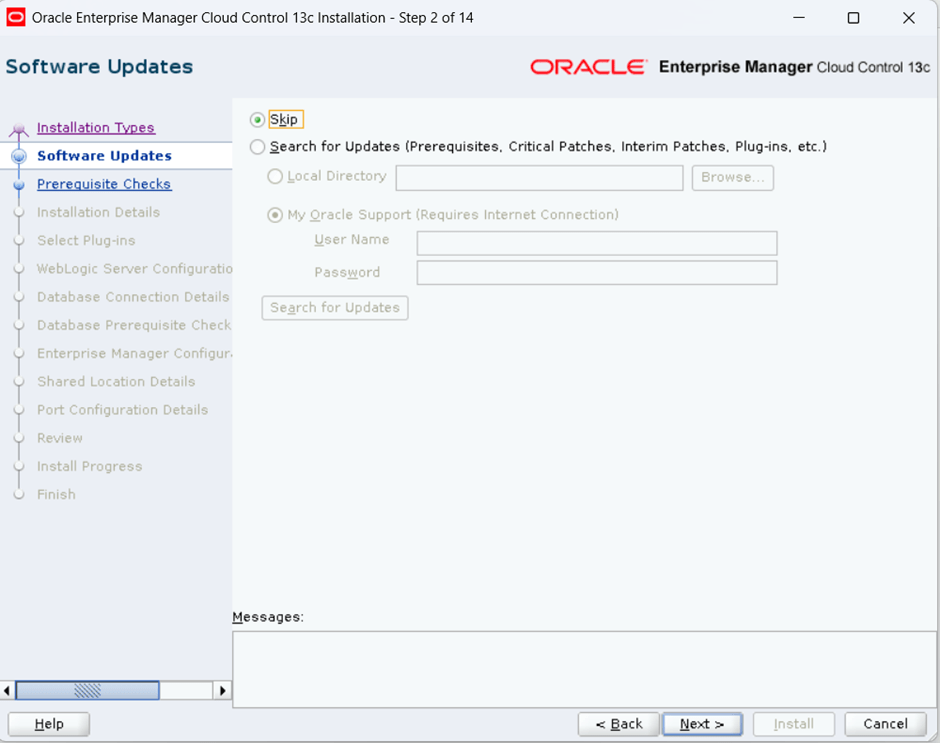
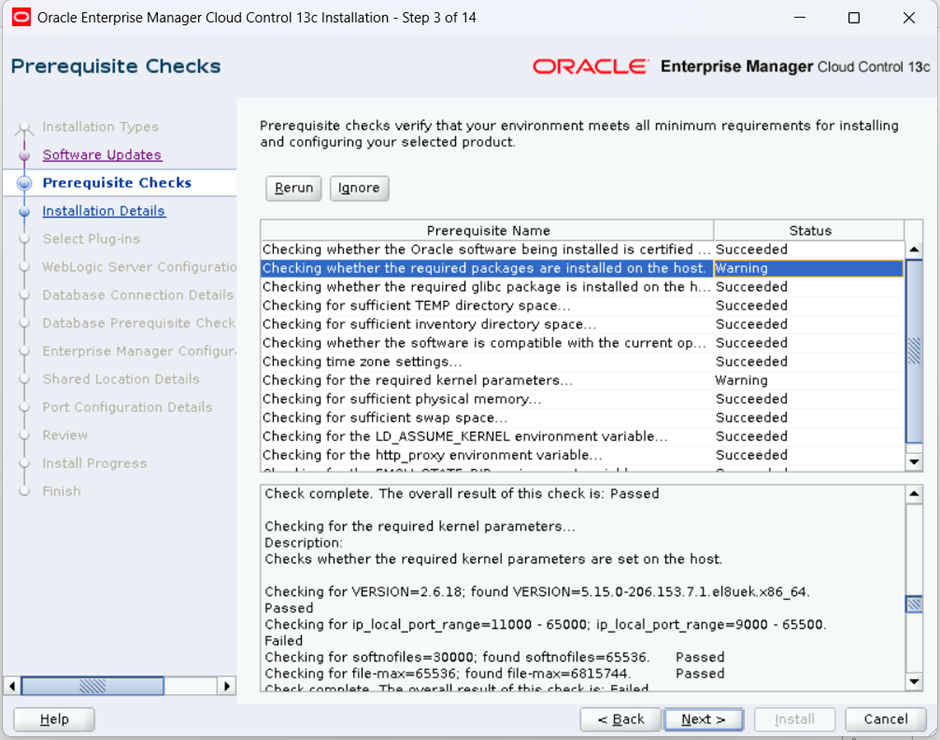
vi /etc/sysctl.confmodify as below# oracle-database-preinstall-19c setting for net.ipv4.ip_local_port_range is 9000 65500net.ipv4.ip_local_port_range = 11000 65000[root@OEL8-VM01 ~]# /sbin/sysctl -pfs.file-max = 6815744kernel.sem = 250 32000 100 128kernel.shmmni = 4096kernel.shmall = 1073741824kernel.shmmax = 4398046511104kernel.panic_on_oops = 1net.core.rmem_default = 262144net.core.rmem_max = 4194304net.core.wmem_default = 262144net.core.wmem_max = 1048576net.ipv4.conf.all.rp_filter = 2net.ipv4.conf.default.rp_filter = 2fs.aio-max-nr = 1048576net.ipv4.ip_local_port_range = 11000 65000
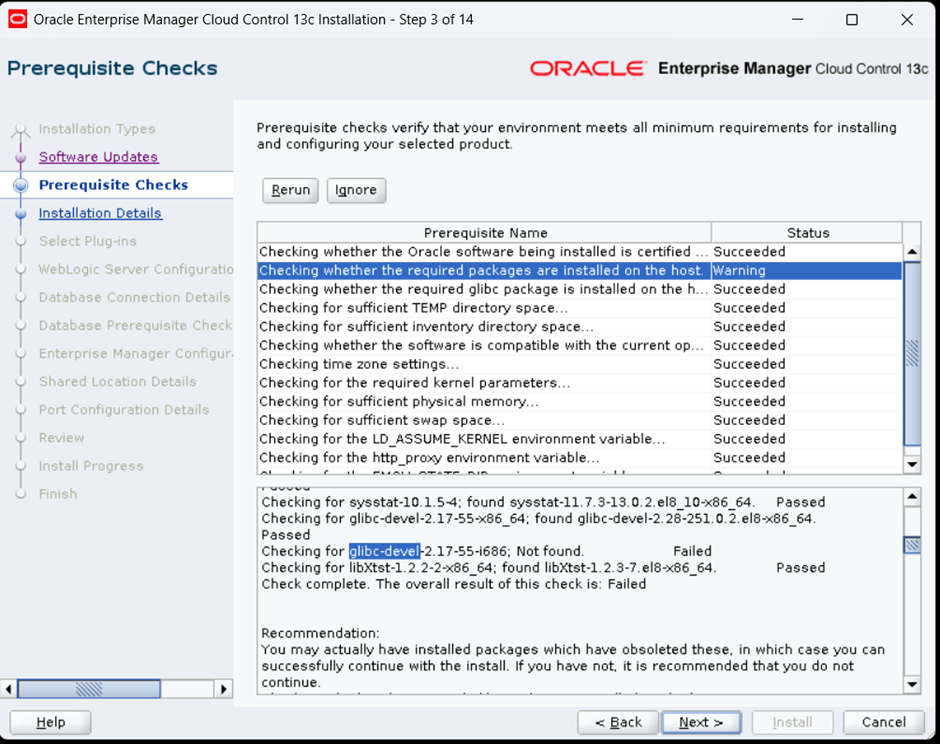
[root@OEL8-VM01 ~]# yum install glibc-devel.i686Last metadata expiration check: 1:03:27 ago on Mon 23 Feb 2026 09:44:28 AM IST.Dependencies resolved.============================================================================================================================================================================================= Package Architecture Version Repository Size=============================================================================================================================================================================================Installing: glibc-devel i686 2.28-251.0.3.el8_10.27 ol8_baseos_latest 94 kInstalling dependencies: glibc i686 2.28-251.0.3.el8_10.27 ol8_baseos_latest 1.9 M glibc-headers i686 2.28-251.0.3.el8_10.27 ol8_baseos_latest 500 k libgcc i686 8.5.0-28.0.1.el8_10 ol8_baseos_latest 102 k libxcrypt i686 4.1.1-6.el8 ol8_baseos_latest 74 k libxcrypt-devel i686 4.1.1-6.el8 ol8_baseos_latest 25 kInstalling weak dependencies: glibc-gconv-extra i686 2.28-251.0.3.el8_10.27 ol8_baseos_latest 1.6 MTransaction Summary=============================================================================================================================================================================================Install 7 PackagesTotal download size: 4.3 MInstalled size: 14 MIs this ok [y/N]: yDownloading Packages:(1/7): glibc-devel-2.28-251.0.3.el8_10.27.i686.rpm 320 kB/s | 94 kB 00:00(2/7): glibc-gconv-extra-2.28-251.0.3.el8_10.27.i686.rpm 3.4 MB/s | 1.6 MB 00:00(3/7): glibc-headers-2.28-251.0.3.el8_10.27.i686.rpm 2.8 MB/s | 500 kB 00:00(4/7): libgcc-8.5.0-28.0.1.el8_10.i686.rpm 2.2 MB/s | 102 kB 00:00(5/7): glibc-2.28-251.0.3.el8_10.27.i686.rpm 3.2 MB/s | 1.9 MB 00:00(6/7): libxcrypt-devel-4.1.1-6.el8.i686.rpm 241 kB/s | 25 kB 00:00(7/7): libxcrypt-4.1.1-6.el8.i686.rpm 510 kB/s | 74 kB 00:00---------------------------------------------------------------------------------------------------------------------------------------------------------------------------------------------Total 6.8 MB/s | 4.3 MB 00:00Running transaction checkTransaction check succeeded.Running transaction testTransaction test succeeded.Running transaction Preparing : 1/1 Installing : glibc-gconv-extra-2.28-251.0.3.el8_10.27.i686 1/7 Running scriptlet: glibc-gconv-extra-2.28-251.0.3.el8_10.27.i686 1/7 Running scriptlet: glibc-2.28-251.0.3.el8_10.27.i686 2/7 Installing : glibc-2.28-251.0.3.el8_10.27.i686 2/7 Running scriptlet: glibc-2.28-251.0.3.el8_10.27.i686 2/7 Running scriptlet: glibc-headers-2.28-251.0.3.el8_10.27.i686 3/7 Installing : glibc-headers-2.28-251.0.3.el8_10.27.i686 3/7 Installing : libxcrypt-4.1.1-6.el8.i686 4/7 Installing : libgcc-8.5.0-28.0.1.el8_10.i686 5/7 Running scriptlet: libgcc-8.5.0-28.0.1.el8_10.i686 5/7 Installing : glibc-devel-2.28-251.0.3.el8_10.27.i686 6/7 Running scriptlet: glibc-devel-2.28-251.0.3.el8_10.27.i686 6/7 Installing : libxcrypt-devel-4.1.1-6.el8.i686 7/7 Running scriptlet: libxcrypt-devel-4.1.1-6.el8.i686 7/7 Verifying : glibc-2.28-251.0.3.el8_10.27.i686 1/7 Verifying : glibc-devel-2.28-251.0.3.el8_10.27.i686 2/7 Verifying : glibc-gconv-extra-2.28-251.0.3.el8_10.27.i686 3/7 Verifying : glibc-headers-2.28-251.0.3.el8_10.27.i686 4/7 Verifying : libgcc-8.5.0-28.0.1.el8_10.i686 5/7 Verifying : libxcrypt-4.1.1-6.el8.i686 6/7 Verifying : libxcrypt-devel-4.1.1-6.el8.i686 7/7Installed: glibc-2.28-251.0.3.el8_10.27.i686 glibc-devel-2.28-251.0.3.el8_10.27.i686 glibc-gconv-extra-2.28-251.0.3.el8_10.27.i686 glibc-headers-2.28-251.0.3.el8_10.27.i686 libgcc-8.5.0-28.0.1.el8_10.i686 libxcrypt-4.1.1-6.el8.i686 libxcrypt-devel-4.1.1-6.el8.i686Complete![root@OEL8-VM01 ~]#
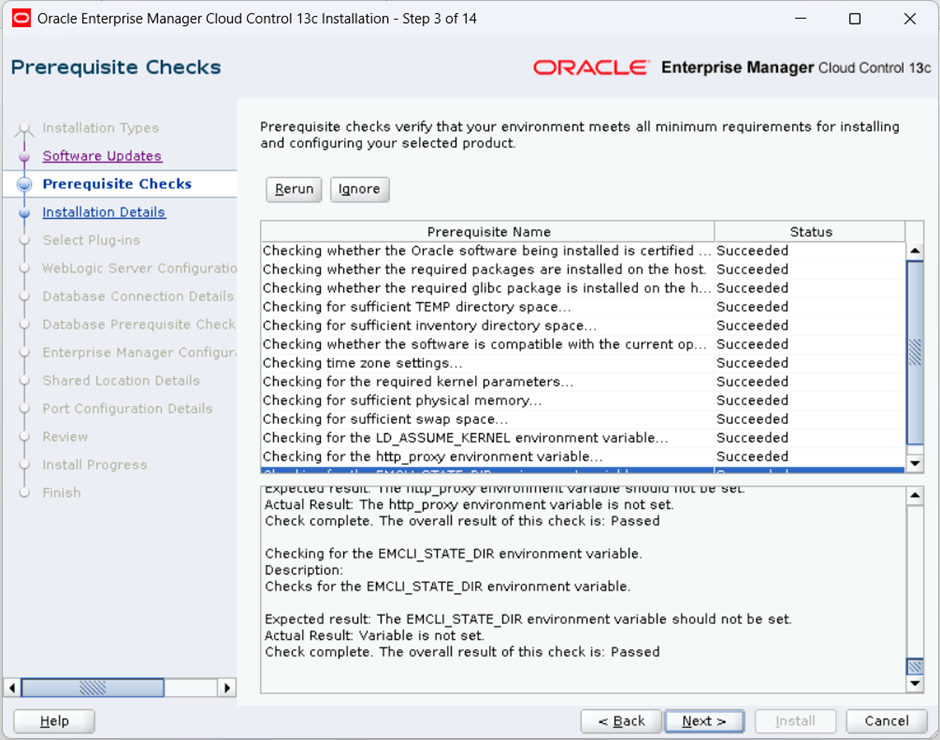
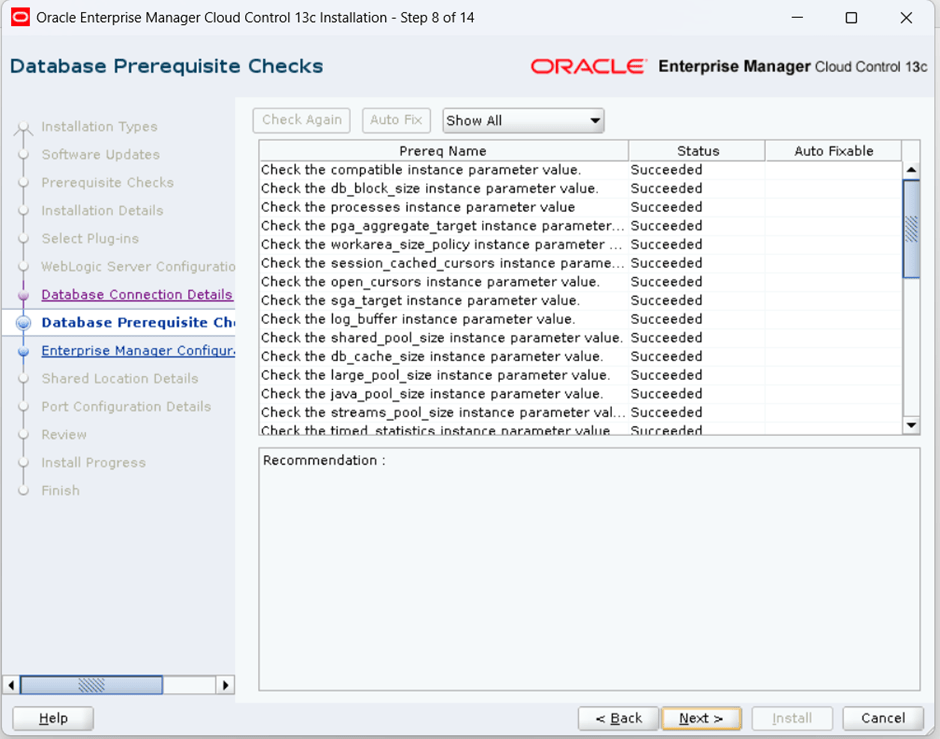
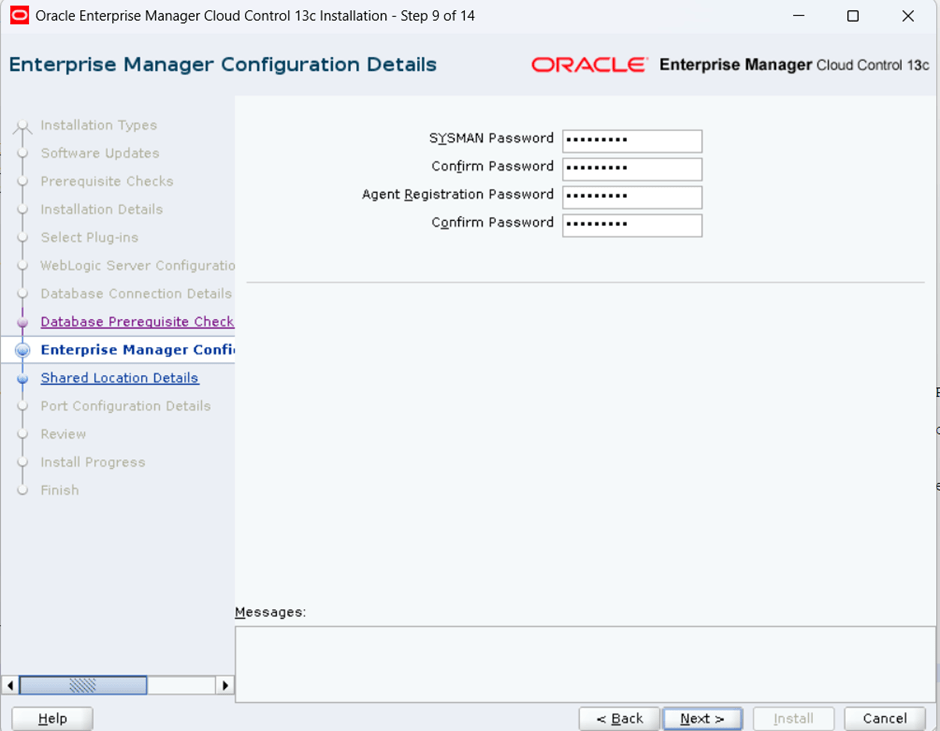
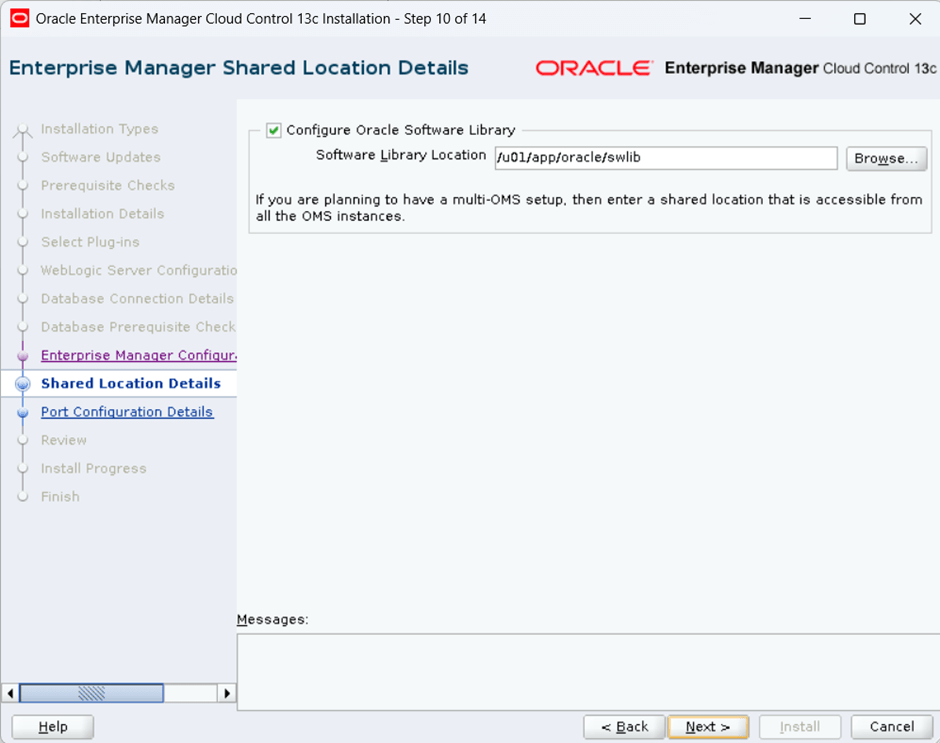
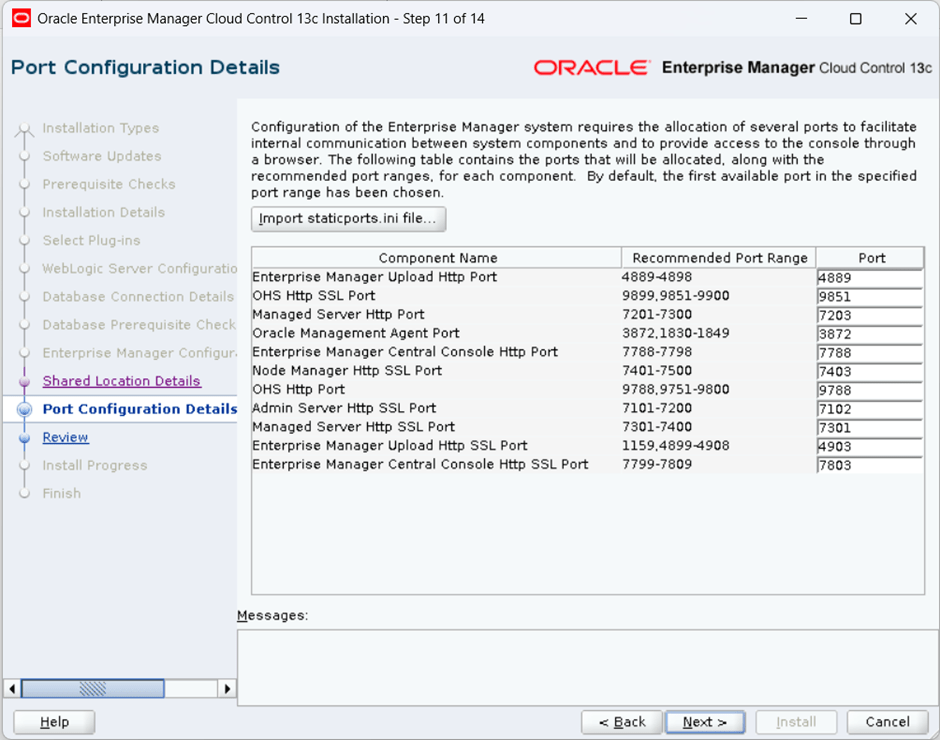
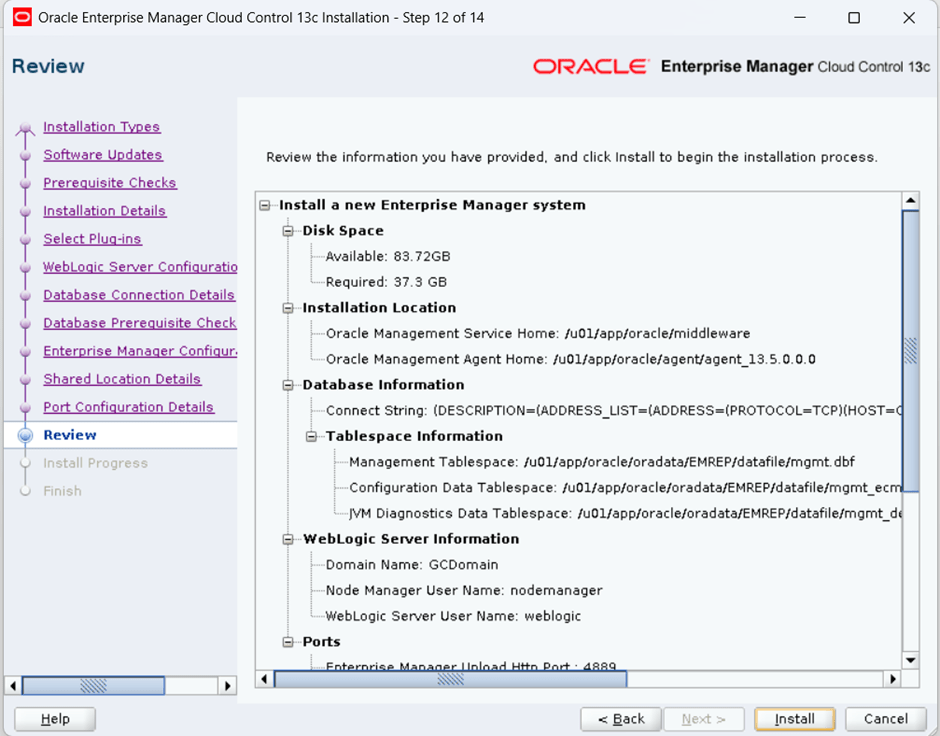
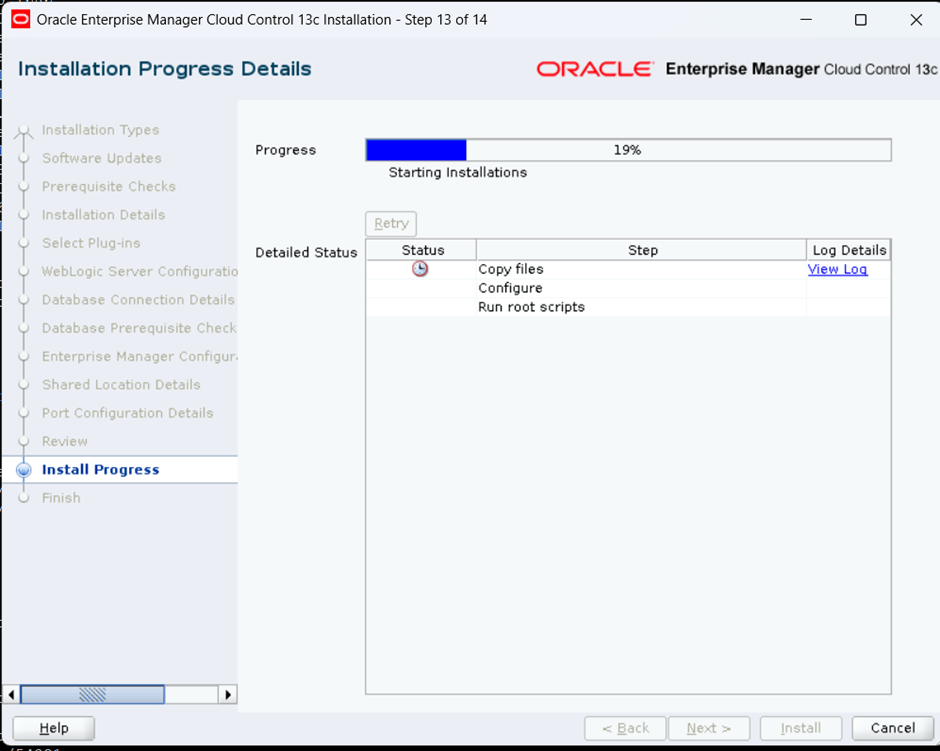
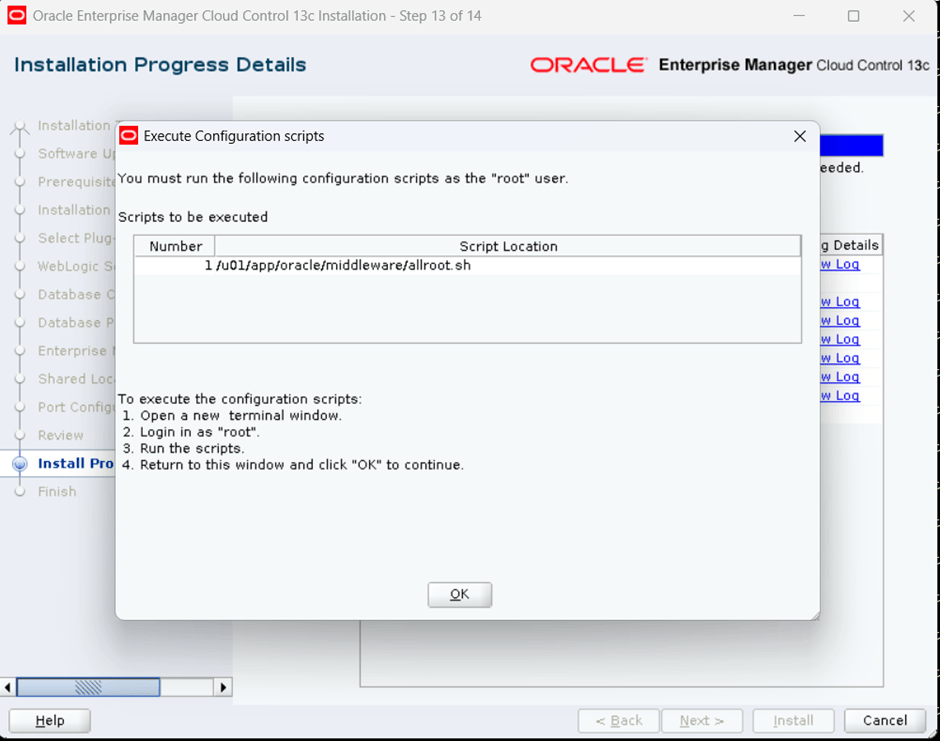
[root@OEL8-VM01 oracle]# /u01/app/oracle/middleware/allroot.shStarting to execute allroot.sh .........Starting to execute /u01/app/oracle/middleware/root.sh ......Check /u01/app/oracle/middleware/install/root_OEL8-VM01.localdomain_2026-02-23_14-48-09.log for the output of root scriptFinished product-specific root actions./etc existFinished execution of /u01/app/oracle/middleware/root.sh ......Starting to execute /u01/app/oracle/agent/agent_13.5.0.0.0/root.sh ......Finished product-specific root actions./etc existFinished execution of /u01/app/oracle/agent/agent_13.5.0.0.0/root.sh ......[root@OEL8-VM01 oracle]#
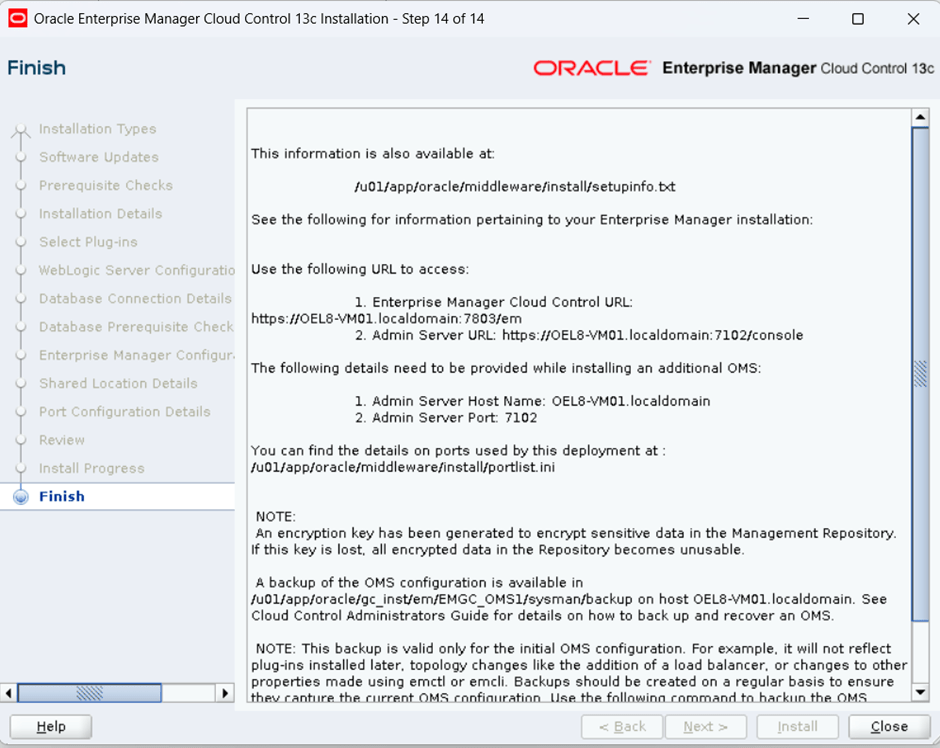
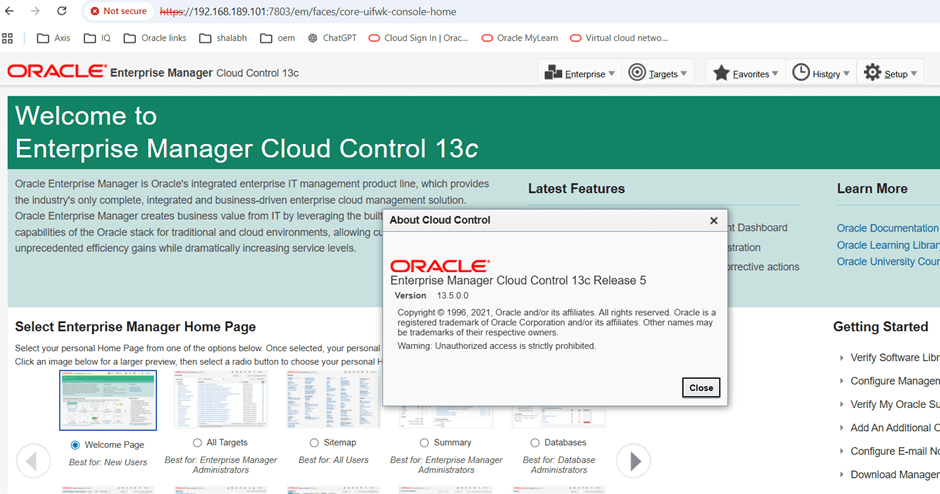
[oracle@OEL8-VM01 ~]$ /u01/app/oracle/agent/agent_13.5.0.0.0/bin/emctl status agentOracle Enterprise Manager Cloud Control 13c Release 5Copyright (c) 1996, 2021 Oracle Corporation. All rights reserved.---------------------------------------------------------------Agent Version : 13.5.0.0.0OMS Version : 13.5.0.0.0Protocol Version : 12.1.0.1.0Agent Home : /u01/app/oracle/agent/agent_instAgent Log Directory : /u01/app/oracle/agent/agent_inst/sysman/logAgent Binaries : /u01/app/oracle/agent/agent_13.5.0.0.0Core JAR Location : /u01/app/oracle/agent/agent_13.5.0.0.0/jlibAgent Process ID : 140652Parent Process ID : 140572Agent URL : https://OEL8-VM01.localdomain:3872/emd/main/Local Agent URL in NAT : https://OEL8-VM01.localdomain:3872/emd/main/Repository URL : https://OEL8-VM01.localdomain:4903/empbs/uploadStarted at : 2026-02-23 14:32:50Started by user : oracleOperating System : Linux version 5.15.0-206.153.7.1.el8uek.x86_64 (amd64)Number of Targets : 35Last Reload : (none)Last successful upload : 2026-02-23 14:50:21Last attempted upload : 2026-02-23 14:50:21Total Megabytes of XML files uploaded so far : 1.9Number of XML files pending upload : 0Size of XML files pending upload(MB) : 0Available disk space on upload filesystem : 40.26%Collection Status : Collections enabledHeartbeat Status : OkLast attempted heartbeat to OMS : 2026-02-23 14:50:24Last successful heartbeat to OMS : 2026-02-23 14:50:24Next scheduled heartbeat to OMS : 2026-02-23 14:51:24---------------------------------------------------------------Agent is Running and Ready[oracle@OEL8-VM01 ~]$
 DBATracker